Install
openclaw skills install @hith3sh/mailchimp-marketingManage Mailchimp audiences, campaigns, automations, e-commerce, and analytics. Create and send email campaigns, manage subscribers, configure automations, handle e-commerce stores, and track performance with detailed reports.
openclaw skills install @hith3sh/mailchimp-marketing
Manage Mailchimp email marketing operations at scale. Handle audiences and subscribers, create and send campaigns, configure automations, manage e-commerce stores, and analyze performance with detailed reports.
This skill uses ClawLink for hosted connection flows and credentials so you do not need to configure Mailchimp API access yourself.
| Step 1: Install | Step 2: Pair Account | Step 3: Connect Mailchimp |
|---|---|---|
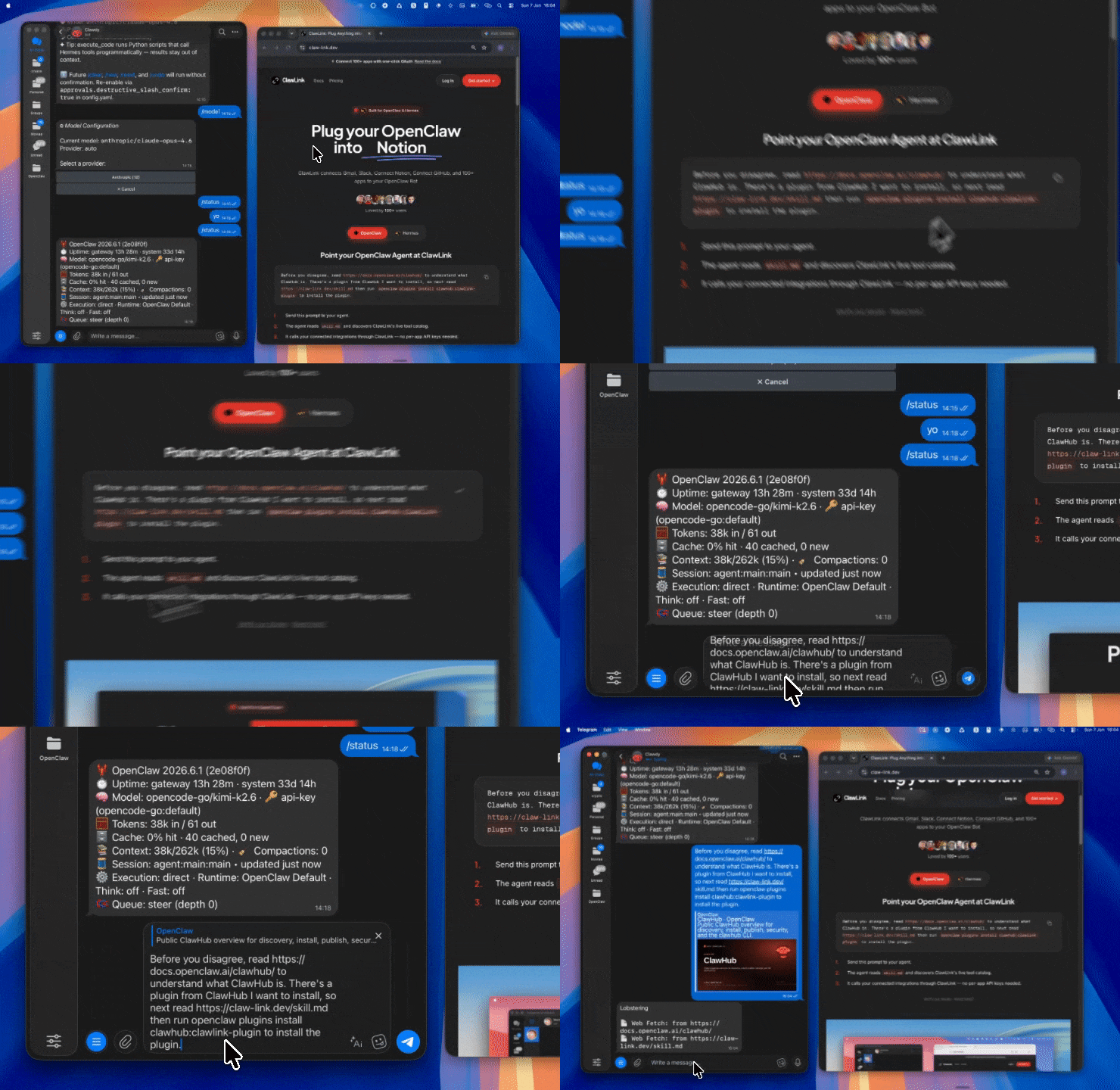 | 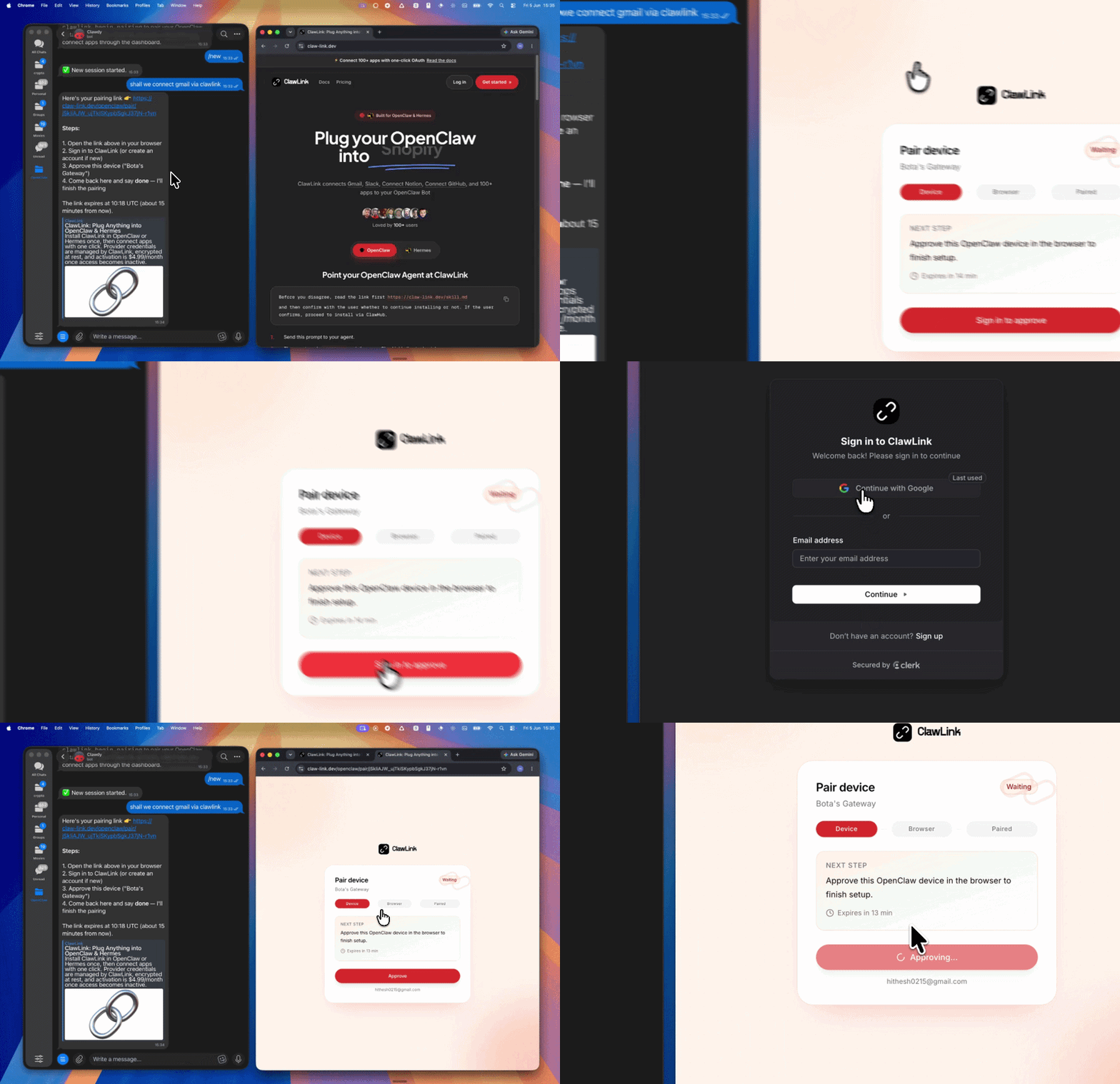 | App-specific connection GIF coming soon |
┌─────────────────┐     ┌──────────────┐     ┌──────────────────┐
│   OpenClaw      │────▶│   ClawLink   │────▶│ Mailchimp API     │
│   (User Chat)   │     │   (OAuth)    │     │   (v3.0)        │
└─────────────────┘     └──────────────┘     └──────────────────┘
         │                       │                       │
         │  1. Install Plugin  │                       │
         │  2. Pair Device   │                       │
         │  3. Connect Mailchimp│                     │
         │                   │  4. Secure Token      │
         │                   │  5. Proxy Requests    │
         │                   │                       │
         ▼                   ▼                       ▼
   ┌──────────┐      ┌──────────┐           ┌──────────┐
   │  SKILL   │      │ Dashboard│           │ Mailchimp│
   │  File    │      │ Auth     │           │ Marketing│
   └──────────┘      └──────────┘           └──────────┘
Install the verified ClawLink plugin from ClawHub. After the user confirms, complete the full setup so ClawLink tools are visible in the next OpenClaw chat.
openclaw plugins install clawhub:clawlink-plugin
openclaw config set tools.alsoAllow '["clawlink-plugin"]' --strict-json
openclaw gateway restart
Then tell the user: "OpenClaw has been restarted. Send /new as a standalone message to start a fresh chat, then ask for Mailchimp again."
# Get lists (audiences)
clawlink_call_tool --tool "mailchimp_get_lists_info" --params '{}'

# List campaigns
clawlink_call_tool --tool "mailchimp_list_campaigns" --params '{}'

# Get account info
clawlink_call_tool --tool "mailchimp_get_account_info" --params '{}'
All Mailchimp tool calls are authenticated automatically by ClawLink using the user's connected Mailchimp account.
No API key is required in chat. ClawLink stores the OAuth token securely and injects it into every Mailchimp API request on the user's behalf.
clawlink_begin_pairing if it is not configured yet.clawlink_list_integrations to verify the connection is active.clawlink_list_integrations
Response: Returns all connected integrations. Look for mailchimp in the list.
clawlink_list_tools --integration mailchimp
Response: Returns the live tool catalog for Mailchimp.
If Mailchimp tools are missing or the connection shows an error:
clawlink_list_integrations to verifyclawlink_list_tools --integration mailchimp| Tool | Description | Mode |
|---|---|---|
mailchimp_get_account_info | Get account details, email, name, and plan type | Read |
mailchimp_get_lists_info | Get all audiences/lists with basic info | Read |
mailchimp_add_connected_site | Add a new connected site for tracking | Write |
mailchimp_add_domain_to_account | Add a sending domain for email verification | Write |
mailchimp_verify_domain | Verify domain ownership with confirmation code | Write |
mailchimp_add_export | Create account data export (ZIP download) | Write |
mailchimp_get_account_export_info | Check export status and get download URL | Read |
| Tool | Description | Mode |
|---|---|---|
mailchimp_get_list_info | Get detailed list/audience information by ID | Read |
mailchimp_add_list | Create a new audience (name, contact info, permission reminder required) | Write |
mailchimp_update_list | Update list settings and configuration | Write |
mailchimp_delete_list | Permanently delete a list and all subscribers | Write |
mailchimp_get_list_members_info | Get members of a list with pagination | Read |
mailchimp_add_list_member | Add a new member to a list | Write |
mailchimp_add_or_update_list_member | Add or update list member (upsert) | Write |
mailchimp_update_list_member | Update member info and status | Write |
mailchimp_delete_list_member | Permanently delete a list member | Write |
mailchimp_archive_list_member | Archive (soft delete) a list member | Write |
mailchimp_get_member_info | Get detailed member information | Read |
mailchimp_get_member_activity | Get member activity history | Read |
mailchimp_get_member_goals | Get member goal events | Read |
mailchimp_add_member_note | Add a note to a list member | Write |
mailchimp_add_or_remove_member_tags | Add or remove tags from a member | Write |
mailchimp_add_member_to_segment | Add existing member to static segment | Write |
mailchimp_batch_add_or_remove_members | Batch add/remove members from static segment | Write |
mailchimp_batch_subscribe_or_unsubscribe | Batch subscribe or unsubscribe members | Write |
| Tool | Description | Mode |
|---|---|---|
mailchimp_list_segments | List all segments for a list | Read |
mailchimp_get_segment_info | Get segment details by ID | Read |
mailchimp_create_segment | Create a new segment (static or saved) | Write |
mailchimp_update_segment | Update segment configuration | Write |
mailchimp_delete_segment | Permanently delete a segment | Write |
| Tool | Description | Mode |
|---|---|---|
mailchimp_get_list_tags | Get all tags for a list | Read |
mailchimp_add_list_tag | Create a new tag in a list | Write |
mailchimp_update_list_tag | Update tag name | Write |
mailchimp_delete_list_tag | Permanently delete a tag | Write |
| Tool | Description | Mode |
|---|---|---|
mailchimp_list_merge_fields | List all merge fields for a list | Read |
mailchimp_add_merge_field | Create a new merge field | Write |
mailchimp_update_merge_field | Update merge field configuration | Write |
mailchimp_delete_merge_field | Permanently delete a merge field | Write |
| Tool | Description | Mode |
|---|---|---|
mailchimp_list_interest_categories | List interest categories for a list | Read |
mailchimp_add_interest_category | Create a new interest category | Write |
mailchimp_list_interests | List interests within a category | Read |
mailchimp_add_interest_in_category | Add a new interest/group to a category | Write |
| Tool | Description | Mode |
|---|---|---|
mailchimp_list_campaigns | List all campaigns with filtering | Read |
mailchimp_get_campaign_info | Get campaign details by ID | Read |
mailchimp_create_campaign | Create a new campaign (regular, plaintext, or variate) | Write |
mailchimp_update_campaign | Update campaign settings | Write |
mailchimp_delete_campaign | Permanently delete a campaign | Write |
mailchimp_list_campaign_content | Get campaign content and body | Read |
mailchimp_set_campaign_content | Set campaign content (HTML, plain text) | Write |
mailchimp_send_campaign | Send a campaign immediately | Write |
mailchimp_schedule_campaign | Schedule a campaign for future sending | Write |
mailchimp_unschedule_campaign | Remove campaign from schedule | Write |
mailchimp_pause_campaign | Pause a running campaign | Write |
mailchimp_resume_campaign | Resume a paused campaign | Write |
mailchimp_cancel_campaign | Cancel a sending campaign (Pro/Premium only) | Write |
| Tool | Description | Mode |
|---|---|---|
mailchimp_list_campaign_folders | List all campaign folders | Read |
mailchimp_add_campaign_folder | Create a new campaign folder | Write |
mailchimp_update_campaign_folder | Update folder name | Write |
mailchimp_delete_campaign_folder | Permanently delete a folder | Write |
| Tool | Description | Mode |
|---|---|---|
mailchimp_list_campaign_feedback | List feedback comments on a campaign | Read |
mailchimp_add_campaign_feedback | Post feedback comment on a campaign | Write |
| Tool | Description | Mode |
|---|---|---|
mailchimp_list_automations | List all classic automations | Read |
mailchimp_get_automation_info | Get automation details by ID | Read |
mailchimp_add_automation | Create classic abandoned cart automation | Write |
mailchimp_pause_automation | Pause an automation | Write |
mailchimp_unpause_automation | Resume a paused automation | Write |
mailchimp_archive_automation | Permanently archive an automation | Write |
mailchimp_get_automation_email_subscriber | Get automation email queue subscriber | Read |
mailchimp_add_automation_subscriber | Add subscriber to automation email queue | Write |
mailchimp_remove_automation_subscriber | Remove subscriber from automation queue | Write |
| Tool | Description | Mode |
|---|---|---|
mailchimp_list_templates | List all email templates | Read |
mailchimp_get_template_info | Get template details by ID | Read |
mailchimp_add_template | Create a new classic HTML template | Write |
mailchimp_update_template | Update template content | Write |
mailchimp_delete_template | Permanently delete a template | Write |
mailchimp_list_template_folders | List template folders | Read |
mailchimp_add_template_folder | Create a new template folder | Write |
| Tool | Description | Mode |
|---|---|---|
mailchimp_list_files | List all files in file manager | Read |
mailchimp_add_file | Upload file to file manager (base64, max 10MB) | Write |
mailchimp_update_file | Update file info | Write |
mailchimp_delete_file | Permanently delete a file | Write |
mailchimp_list_folders | List file manager folders | Read |
mailchimp_add_folder | Create a new file manager folder | Write |
mailchimp_update_folder | Update folder name | Write |
mailchimp_delete_folder | Permanently delete a folder | Write |
| Tool | Description | Mode |
|---|---|---|
mailchimp_list_landing_pages | List all landing pages | Read |
mailchimp_get_landing_page | Get landing page details by ID | Read |
mailchimp_add_landing_page | Create a new landing page | Write |
mailchimp_publish_landing_page | Publish a landing page | Write |
| Tool | Description | Mode |
|---|---|---|
mailchimp_get_reports_campaign_report | Get campaign performance report | Read |
mailchimp_get_reports_campaign_opens | Get campaign open details | Read |
mailchimp_get_reports_campaign_CLICKS | Get campaign click details | Read |
mailchimp_get_reports_campaign_UNSUBSCRIBES | Get unsubscribes from campaign | Read |
mailchimp_get_reports_campaign_Bounces | Get bounces from campaign | Read |
mailchimp_list_campaign_abuse_reports | Get abuse complaints (spam reports) | Read |
mailchimp_campaign_abuse_report_details | Get specific abuse report details | Read |
mailchimp_get_reports_campaign_LOCATION | Get subscriber locations for campaign | Read |
mailchimp_get_reports_campaign_SETTINGS | Get campaign settings report | Read |
mailchimp_get_reports_campaign_SENT_TO | Get sent-to list for campaign | Read |
mailchimp_campaign_statistics_feedback | Get advice based on campaign statistics | Read |
mailchimp_get_subcampaign_report | Get report for A/B split sub-campaign | Read |
| Tool | Description | Mode |
|---|---|---|
mailchimp_list_ecommerce_stores | List all connected e-commerce stores | Read |
mailchimp_add_store | Add a new e-commerce store | Write |
mailchimp_get_ecommerce_store_info | Get store details by ID | Read |
mailchimp_delete_ecommerce_store | Permanently delete a store | Write |
mailchimp_list_ecommerce_customers | List customers in a store | Read |
mailchimp_add_or_update_customer | Add or update customer (upsert) | Write |
mailchimp_get_ecommerce_customer_info | Get customer details | Read |
mailchimp_delete_ecommerce_customer | Delete customer from store | Write |
mailchimp_list_ecommerce_products | List products in a store | Read |
mailchimp_add_product | Add a new product with variants | Write |
mailchimp_get_ecommerce_product_info | Get product details | Read |
mailchimp_update_ecommerce_product | Update product info | Write |
mailchimp_delete_ecommerce_product | Delete product from store | Write |
mailchimp_add_product_image | Add image to a product | Write |
mailchimp_list_ecommerce_product_variants | List product variants | Read |
mailchimp_add_or_update_product_variant | Add or update product variant | Write |
mailchimp_get_ecommerce_product_variant_info | Get variant details | Read |
mailchimp_delete_ecommerce_product_variant | Delete product variant | Write |
mailchimp_list_ecommerce_carts | List carts in a store | Read |
mailchimp_add_cart | Create a new cart | Write |
mailchimp_get_ecommerce_cart_info | Get cart details | Read |
mailchimp_delete_ecommerce_cart | Delete cart from store | Write |
mailchimp_add_cart_line_item | Add line item to cart | Write |
mailchimp_update_cart_line_item | Update cart line item | Write |
mailchimp_delete_cart_line_item | Remove line item from cart | Write |
mailchimp_list_ecommerce_orders | List orders in a store | Read |
mailchimp_add_order | Create a new order | Write |
mailchimp_get_ecommerce_order_info | Get order details | Read |
mailchimp_update_ecommerce_order | Update order status | Write |
mailchimp_delete_ecommerce_order | Delete order from store | Write |
mailchimp_add_order_line_item | Add line item to existing order | Write |
| Tool | Description | Mode |
|---|---|---|
mailchimp_list_promo_rules | List promo rules for a store | Read |
mailchimp_add_promo_rule | Add a new promo rule | Write |
mailchimp_get_promo_rule_info | Get promo rule details | Read |
mailchimp_update_promo_rule | Update promo rule | Write |
mailchimp_delete_promo_rule | Delete promo rule | Write |
mailchimp_list_promo_codes | List promo codes for a rule | Read |
mailchimp_add_promo_code | Add promo code to a rule | Write |
mailchimp_get_promo_code_info | Get promo code details | Read |
mailchimp_update_promo_code | Update promo code | Write |
mailchimp_delete_promo_code | Delete promo code | Write |
| Tool | Description | Mode |
|---|---|---|
mailchimp_list_custom_events | List available custom events | Read |
mailchimp_get_custom_event_template | Get custom event template by name | Read |
mailchimp_create_custom_event | Create custom event for a member | Write |
| Tool | Description | Mode |
|---|---|---|
mailchimp_list_webhooks | List webhooks for a list | Read |
mailchimp_add_webhook | Create webhook for list events | Write |
mailchimp_update_webhook | Update webhook configuration | Write |
mailchimp_delete_webhook | Permanently delete webhook | Write |
mailchimp_add_batch_webhook | Add batch webhook for batch request events | Write |
| Tool | Description | Mode |
|---|---|---|
mailchimp_list_surveys | List surveys for a list | Read |
mailchimp_create_survey_campaign | Create campaign linked to a survey | Write |
| Tool | Description | Mode |
|---|---|---|
mailchimp_list_customer_journeys | List customer journeys | Read |
mailchimp_get_customer_journey_info | Get journey details by ID | Read |
mailchimp_customer_journeys_api_trigger_for_a_contact | Trigger journey step for a contact | Write |
clawlink_call_tool --tool "mailchimp_list_campaigns" \
  --params '{}'
clawlink_call_tool --tool "mailchimp_add_list" \
  --params '{"name": "My New Audience", "contact": {"company": "My Company", "city": "New York", "country": "US"}, "permission_reminder": "You signed up for updates from us."}'
clawlink_call_tool --tool "mailchimp_add_list_member" \
  --params '{"list_id": "LIST_ID", "email_address": "subscriber@example.com", "status": "subscribed", "merge_fields": {"FNAME": "John"}}'
clawlink_call_tool --tool "mailchimp_send_campaign" \
  --params '{"campaign_id": "CAMPAIGN_ID"}'
clawlink_call_tool --tool "mailchimp_get_reports_campaign_report" \
  --params '{"campaign_id": "CAMPAIGN_ID"}'
clawlink_list_integrations to confirm Mailchimp is connected.clawlink_list_tools --integration mailchimp to see the live catalog.clawlink_search_tools with a short query and integration mailchimp.┌─────────────────────────────────────────────────────────────┐
│ READ OPERATIONS (Safe) │
│ list → get → search → describe → call │
│ │
│ Example: List campaigns → Get report → Show results │
└─────────────────────────────────────────────────────────────┘
│
▼
┌─────────────────────────────────────────────────────────────┐
│ WRITE OPERATIONS (Require Confirmation) │
│ list → get → describe → preview → confirm → call │
│ │
│ Example: Preview campaign send → User approves → Send │
└─────────────────────────────────────────────────────────────┘
clawlink_describe_tool first.whenToUse, askBefore, safeDefaults, examples, and followups to shape the call.clawlink_preview_tool first.clawlink_call_tool. Pass confirmation only after the preview matches the user's intent.inventory_quantity > 0 for product recommendations to work.| Status / Error | Meaning |
|---|---|
| Tool not found | The tool name does not exist in the current catalog. Verify with clawlink_list_tools --integration mailchimp. |
| Missing connection | Mailchimp is not connected. Direct the user to https://claw-link.dev/dashboard?add=mailchimp. |
| Permission error | The account lacks required plan or permission for this operation. |
| List not found | The list ID does not exist. Verify with mailchimp_get_lists_info. |
| Campaign not found | The campaign ID does not exist. Verify with mailchimp_list_campaigns. |
| Write rejected | User did not confirm a write action. Always confirm before executing writes. |
| 402 Payment Required | Feature requires higher Mailchimp plan (Pro/Premium). |
openclaw plugins list
/new as a standalone message to reload the catalog.openclaw config set tools.alsoAllow '["clawlink-plugin"]' --strict-json
openclaw gateway restart
/new again and retry.Powered by ClawLink — an integration hub for OpenClaw