
ESP32 S1-ADV
Self-hosted ESP32-S3 AI agent bridge for M5Stack Cardputer ADV: OpenClaw text and voice chat, device status, and optional self-updating firmware with reviewed build and OTA delivery.

Install
openclaw plugins install clawhub:openclaw-s1-advESP32 S1-ADV
Text and G0 voice replies continue the same OpenClaw session. The agent sets NEEDS INPUT / WORKING / BUILDING explicitly; ordinary questions do not start firmware builds. See contextual replies and task status.
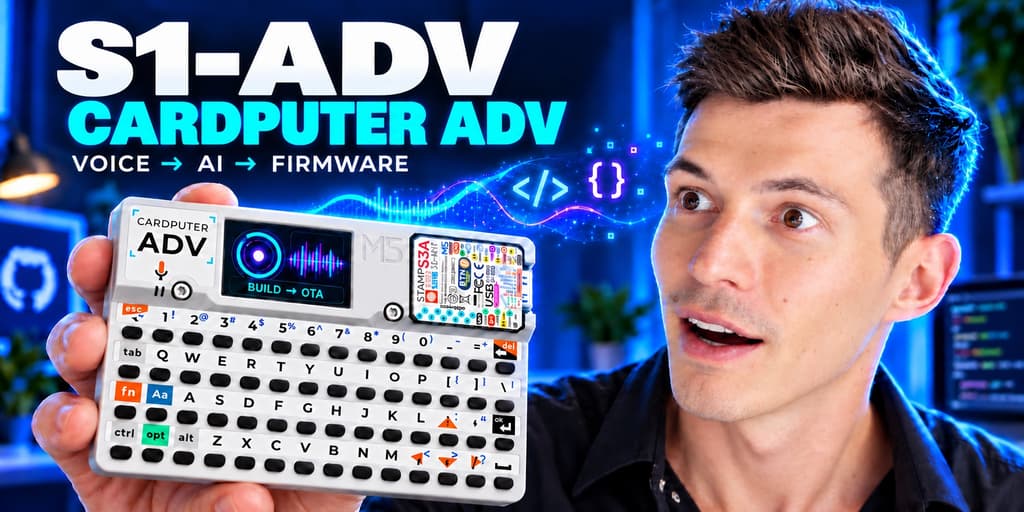
A community OpenClaw plugin and standalone Node.js bridge for the ESP32-S3 based M5Stack Cardputer ADV. Connect the handheld to your own AI agent for authenticated text/voice chat, device events and optional firmware build/OTA workflows with your S1-ADV firmware. No hosted account or model subscription is included. Full guide: OpenClaw setup.
Video walkthrough: I Built an AI OS That Evolves on Demand. Project repository · Security review.
One device identity per instance is enforced. Use separate private storage for other devices. Ordinary chat can use an agent with all host tools denied; firmware-building rights are separate and explicitly provisioned.
A pocket interface for your own AI agent
Keep your OpenClaw agent on your own server and carry its keyboard, microphone and speaker in your pocket. ESP32 S1-ADV connects the ESP32-S3 Cardputer ADV to that agent through an authenticated HTTP/WebSocket service.
- Text and push-to-talk voice: send questions and tool requests, receive replies in chat and Inbox, and add spoken responses with your configured STT/TTS.
- Optional self-updating firmware: ask your explicitly authorized agent for a change, build and verify its source, then deliver a candidate over Wi-Fi OTA. The user confirms installation on the device. Build status and update notices keep the handheld informed; these rights are off until you provision them.
- Self-hosted service: a private device token, your HTTPS address and your existing agent/provider configuration. No shared cloud bridge or included AI account.
- Useful offline hardware: S1-ADV firmware also includes a Focus timer, notes, clocks and SD audio. Three English Focus cues are included in this plugin; extra languages remain optional downloads.
Works with M5Stack Cardputer ADV, ESP32-S3, 8 MB flash. Other ESP32 boards need a compatible firmware port; installing this plugin alone does not add one. Realtime voice needs separate provider setup and remains experimental.
Diagnostics send the device token only to an exact numeric loopback destination, never to a configured remote host or through redirects. Integration context does not override the owner's restrictions or approval holds.
Plugin setup
Accepted turns use a durable per-session queue. A pending receipt means the reply will continue through Inbox; it is not the final agent answer. Upgrading old bridge state can require a delivery audit before new work is allowed. Read the delivery and upgrade guide.
Requirements: OpenClaw with the Node.js runtime supported by that release, a working selected agent and a device-facing HTTPS hostname. Node.js 22 is the standalone bridge minimum; newer OpenClaw releases require a newer runtime. The minimum declared plugin API is 2026.7.2-beta.1; consult the repository validation record for the exact tested host versions.
Review the native install-source and capability prompts for this exact artifact.
If your release requests explicit noninteractive consent, repeat that reviewed
install with --accept-capabilities; local archives/paths can also require
--force for source acknowledgement. Do not treat --yes as capability consent.
Install the published plugin on your intended OpenClaw host:
openclaw plugins install clawhub:openclaw-s1-adv@0.3.11
Or install a reviewed source archive (tag bridge-v0.3.11 for this release):
cd bridge
npm pack --ignore-scripts
openclaw plugins install ./openclaw-s1-adv-0.3.11.tgz
# Prefer a dedicated restricted agent; create/configure it in OpenClaw first.
openclaw s1-adv init --agent cardputer --public-url https://YOUR_BRIDGE
openclaw s1-adv init --agent cardputer --public-url https://YOUR_BRIDGE --apply
openclaw s1-adv enable --config "$HOME/.openclaw/s1-adv/config.json"
openclaw s1-adv enable --config "$HOME/.openclaw/s1-adv/config.json" --apply
# Restart your intended Gateway when ready:
openclaw gateway restart
openclaw s1-adv doctor --config "$HOME/.openclaw/s1-adv/config.json"
Native startup refuses a UID 0 HTTP worker by default. Use an unprivileged
Gateway, or keep the plugin enabled with autoStart: false and run the same
package in the isolated service.
allowRoot: true is an explicit trusted-host exception, not the recommended setup.
Installation does not start a service until explicitly enabled. init previews
without writes; --apply creates private mode 0600 files. It preserves existing
configuration and device identity on repeat. enable previews the exact plugin
entry, then optionally saves that entry/allowlist membership with a private
backup. It does not restart the Gateway or change your agents/channels.
Use --gateway-config PATH, --state-dir PATH, --port NUMBER for custom
installations. An explicit --agent main selects your existing private agent
instead. A device token permits access to that selected agent's tools; keep it
private and restrict shared devices. Setup refuses nonexistent agent routes.
Private storage has a default 256 MiB admission budget and 128 MiB free-space floor. Full storage refuses new persistent work with HTTP 507; it does not erase your recordings. Legacy multi-device stores require migration. Generated speech without current topic/session ownership is not served.
The bridge runs as the Gateway user on 127.0.0.1:31889, starts/stops with the Gateway and stores recordings/history outside the plugin package. Keep the Gateway private. Use your own TLS proxy for Cardputer HTTPS/WSS access and approve only the exact bridge identity if your Gateway requires pairing. Doctor checks HTTP and upstream separately; a real model/device round trip is still required.
Optional fast first response
Use the native plugin with an OpenClaw host that exposes
api.runtime.llm.complete with isolated-agent-runtime support. Preview the
exact model choices and permissions before applying:
openclaw s1-adv models --config "$HOME/.openclaw/s1-adv/config.json" --model-profile codex
# Review the preview and finish or audit accepted work in this device session.
# Stop the intended bridge (stop the Gateway if it hosts the bridge).
# Repeat with --apply, then start the intended Gateway and bridge.
The Codex preference is LUNA / medium for a short first response and your
selected primary agent model and its existing thinking setting for the full contextual work. You can
choose --fast-model, --smart-model, --fast-thinking, --smart-thinking
and --fast-deadline-ms at setup or later. --model-profile claude offers
Claude defaults; either profile refuses models unavailable on your host.
No subscription, provider login or credential copying is included.
The fast model receives a small recent-context summary and zero tools. It answers simple questions or semantically escalates uncertainty, current facts, all device actions (including Pomodoro), development and contextual follow-ups. It never starts BUILDING or claims to have performed work. The main agent keeps its full session and receives intervening fast exchanges. If the fast model fails or misses the configured deadline (12 seconds by default), a system receipt appears and the request continues once through the durable primary queue. That receipt is not an answer. The isolated completion has at most 10 seconds inside that budget; the remaining time covers cleanup and delivery of its native RPC receipt. Responses return as soon as the model finishes. Diagnostic logs contain run IDs and timing only, with fixed error categories; prompts and provider error messages are excluded.
models --apply writes private backups, this plugin's exact completion-model
allowlist, and the selected agent's model/thinking preferences shown in preview.
It refuses to apply while the intended bridge is listening or accepted work in
this device session is unfinished or held. Preserve that work for completion or
an explicit delivery audit before changing model roles.
It does not add agents, alter tools/channels, grant Gateway admin scope, copy
OAuth files or restart services. The host's isolated completion capability and
model availability still need a real call. Older hosts and a standalone bridge
without the native plugin keep the normal primary-agent path when routing is off.
This improves the first response, not audio-upload duration or hardware input lag.
Manual installation
cd bridge
npm ci --ignore-scripts
node scripts/setup.mjs init --agent cardputer --public-url https://YOUR_BRIDGE
node scripts/setup.mjs init --agent cardputer --public-url https://YOUR_BRIDGE --apply
CARDPUTER_BRIDGE_CONFIG="$HOME/.openclaw/s1-adv/config.json" npm start
You can instead edit config.example.json by hand. Replace token placeholders,
choose the existing agent/session, set private absolute data paths and preserve
its identity file. See the
service/TLS templates.
The setup skill is guidance; it cannot host the endpoints by itself.
Optional capabilities
- Three bundled English Focus cues (4.88 MiB total) are available through the authenticated asset manifest for download onto SD. Playback is optional in matching firmware; nothing is added to the firmware flash. Private files at the same path take precedence. Russian cues are separate optional downloads and are never downloaded automatically. See the Focus audio guide.
- Ordinary voice needs configured STT/TTS. See the local speech recipe. FFmpeg, Whisper/models and eSpeak are installed separately; missing audio dependencies are reported without preventing an ordinary text diagnosis.
- Realtime and direct fast-lane modes default off and require separate provider configuration. OpenClaw text authentication does not imply audio access.
- Autonomous firmware requests default off. Provision a writable fork, explicit branch, private Python/PlatformIO environment and reviewed agent permissions:
openclaw s1-adv firmware --config /ABSOLUTE/PRIVATE/config.json \
  --repo-dir /ABSOLUTE/FIRMWARE/FORK --branch main \
  --python-bin /ABSOLUTE/VENV/bin/python
# Review, then repeat with --apply.
Generated private build/publish/smoke commands use those configured paths in both plugin and standalone modes. They require a clean reviewed source commit, one release lock, the exact pushed commit, an image below the OTA slot limit and matching served bytes. They neither switch/reset checkouts nor grant extra agent permissions. An unconfigured workflow returns a clear unavailable response, not a promise that work started. The build and provisioning may contain secrets; never attach a personal candidate or config to a public release.
Ask your OpenClaw agent to change firmware
Two agent skills are bundled: s1-adv for setup and diagnosis, and s1-adv-firmware for implementing features and publishing verified OTA updates. After the optional firmware workflow is configured, use an ordinary OpenClaw chat: "Use s1-adv-firmware. Add [my feature] to my Cardputer ADV, test it, build and publish an OTA update. I will confirm installation on the device." The agent uses your private paths and fork. A skill does not grant permissions or require any desktop chat binding. See the firmware request guide.
Review and verification
This is executable host code, not a sandbox. The bridge child inherits the Gateway user's OS access and environment. A restricted chat agent limits that agent's tools; it does not restrict the bridge process's file or environment access. Use a dedicated OS account/container where stronger isolation is needed.
Credential and network boundaries:
- The private Gateway token authenticates to your configured loopback WS or verified WSS Gateway. The device receives a separate device token, not that key.
- Selected OpenAI STT/TTS/Realtime paths use
OPENAI_API_KEYand send their audio/text to OpenAI's HTTPS endpoints. Optional Gemini STT uses its configured provider key. These paths can incur provider charges. - Optional OpenAI WIF reads only the explicitly configured subject-token file
or environment value and exchanges it at
https://auth.openai.com/oauth/token. Realtime is off in a fresh installation. - The legacy direct fast lane is off by default. Its optional Codex OAuth mode can read and refresh the selected host auth profile. Review its path and identity before enabling it; avoid competing credential writers. Ordinary OpenClaw chat delegates model authentication to the Gateway instead.
- Optional firmware commands execute reviewed local tools against your chosen checkout. Skills do not grant these permissions. Keep all configuration and provisioning outside the package, and never share a provisioned image.
There are no install/postinstall scripts or automatic root/model downloads. The artifact allowlist excludes private config, state, recordings and dependency caches. Its only bundled WAV files are the three reviewed English Focus cues. All plugin/service code is in this package for review. Disable/uninstall through OpenClaw when needed; private configuration is retained for an intentional backup/revocation decision. Do not delete identity/state as a troubleshooting shortcut.
From the source repository:
npm ci --ignore-scripts
npm run test:install
npm run test:security
npm run test:boundaries
npm run test:upstream
npm run smoke
npm run smoke:realtime-contract
Tests use isolated fixtures/local services and generated audio; they do not prove hardware acceptance. The validation record separates source tests, package inspection, native host installation and device observations. Issues and maintenance: github.com/s1z0v/s1-adv.