
卫星云图
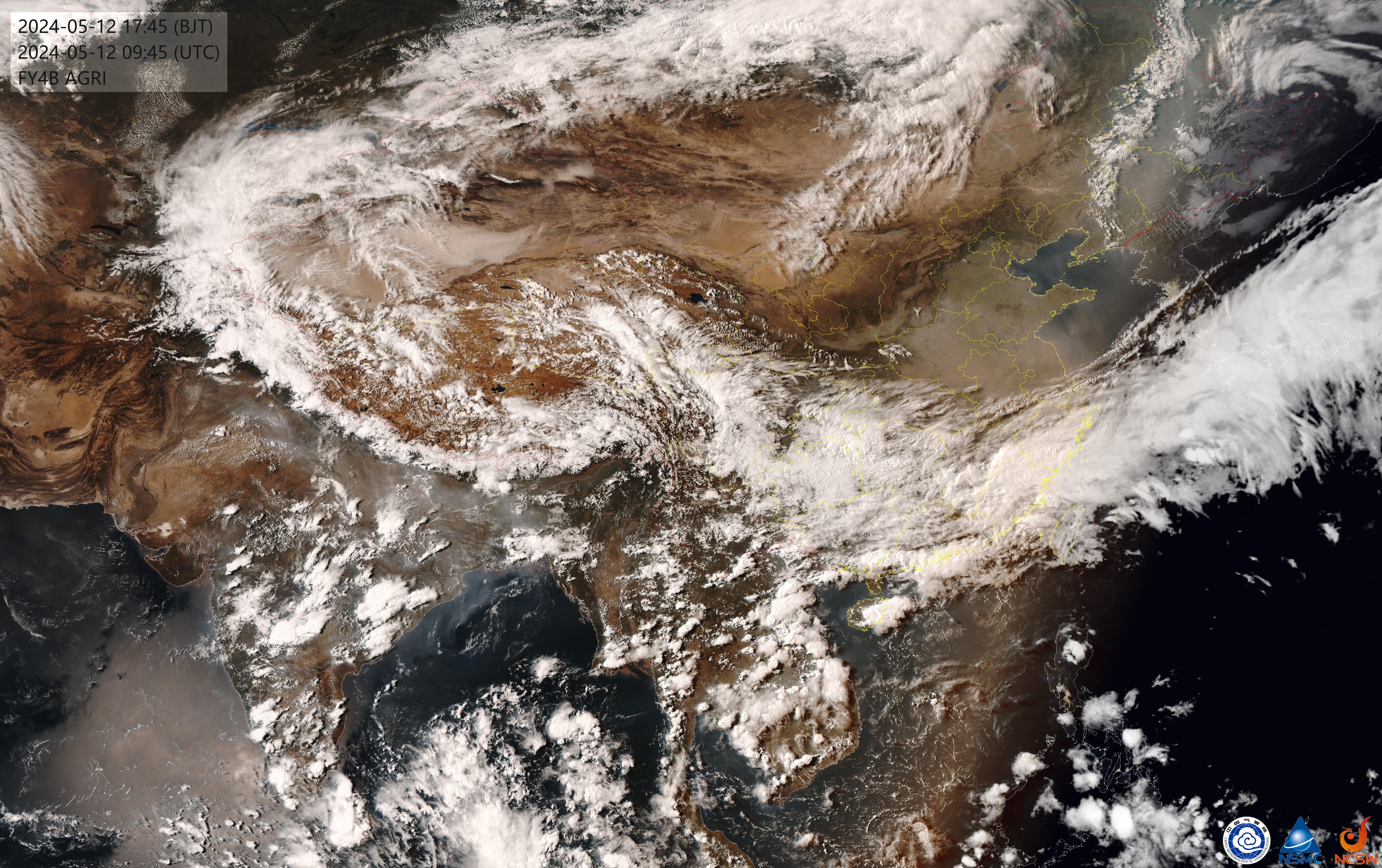
获取并返回最新的实时卫星云图。当用户提到"云图"、"卫星云图"、"实时云图"、"天气图"等关键词时触发。 此技能会自动下载最新云图,并发给用户。

获取卫星云图
触发条件
当用户表达需要查看云图、卫星云图、实时云图等意图时,执行此技能。
依赖安装
Windows
-
安装 Python 3(如果没有):
powershell winget install Python.Python.3.12 -
安装 Tesseract OCR:
powershell winget install UB-Mannheim.TesseractOCR -
安装中文语言包(如果没装):
- 从 https://github.com/tesseract-ocr/tessdata/raw/main/chi_sim.traineddata 下载
- 放到 Tesseract 安装目录的
tessdata文件夹(如C:\Program Files\Tesseract-OCR\tessdata\)
-
安装 Python 依赖:
powershell pip install requests pillow pytesseract
Linux (Ubuntu/Debian)
sudo apt install tesseract-ocr tesseract-ocr-chi-sim python3-pip
pip3 install requests pillow pytesseract
Linux (CentOS/RHEL)
sudo yum install tesseract tesseract-langpack-chi_sim python3-pip
pip3 install requests pillow pytesseract
macOS
brew install tesseract tesseract-lang
pip3 install requests pillow pytesseract
执行步骤
-
Windows 环境下,运行
python3 get_satellite.py;Linux/macOS 环境下,运行脚本run_linux.sh -
脚本会输出最新图片的本地路径,例如:
/home/user/.openclaw/satellite_cache/satellite_20260330_143022.jpg -
解析拍摄时间:从文件名中提取时间戳(格式
YYYYMMDD_HHMM),并将其格式化为易读的字符串,例如2026年03月30日 14:30 -
构建回复消息:在同一条消息内发送文字和图片。
- 文字内容:
这是最新云图,拍摄时间:{格式化的时间} - 图片:使用
<qqmedia>标签包裹图片路径(直接跟在文字后面,无需换行)
示例:
markdown 这是最新云图,拍摄时间:2026年03月30日 14:30<qqmedia>/home/user/.openclaw/satellite_cache/satellite_20260330_143022.jpg</qqmedia> - 文字内容:
故障排除
OCR 识别失败
如果 OCR 无法识别时间,脚本会使用当前时间戳命名文件。请检查:
- Tesseract 是否正确安装
- 中文语言包(chi_sim)是否安装
下载失败
云图来源:国家卫星气象中心 (https://www.nsmc.org.cn/) 如果下载失败,可能是网络问题或源站暂时不可用。
数据来源
- 云图来源:国家卫星气象中心 FY4B 卫星
- URL: https://img.nsmc.org.cn/CLOUDIMAGE/FY4B/AGRI/GCLR/FY4B_REGC_GCLR.JPG
Related skills
- Downloads
- 945All time
- Security audit
- Pass
- Last updated
- 6mo ago
- Current version
- v1.0.0
- License
- MIT-0