

Install
openclaw skills install @hith3sh/x-pulseMonitor X (Twitter) without an X account or API key. Search posts by keyword, see what is trending, read any profile, its posts, followers and about page, unroll full threads and long-form articles, read replies, and transcribe video posts. Use this skill for social listening, trend tracking, competitor monitoring, or researching what people say about a topic on X.
openclaw skills install @hith3sh/x-pulse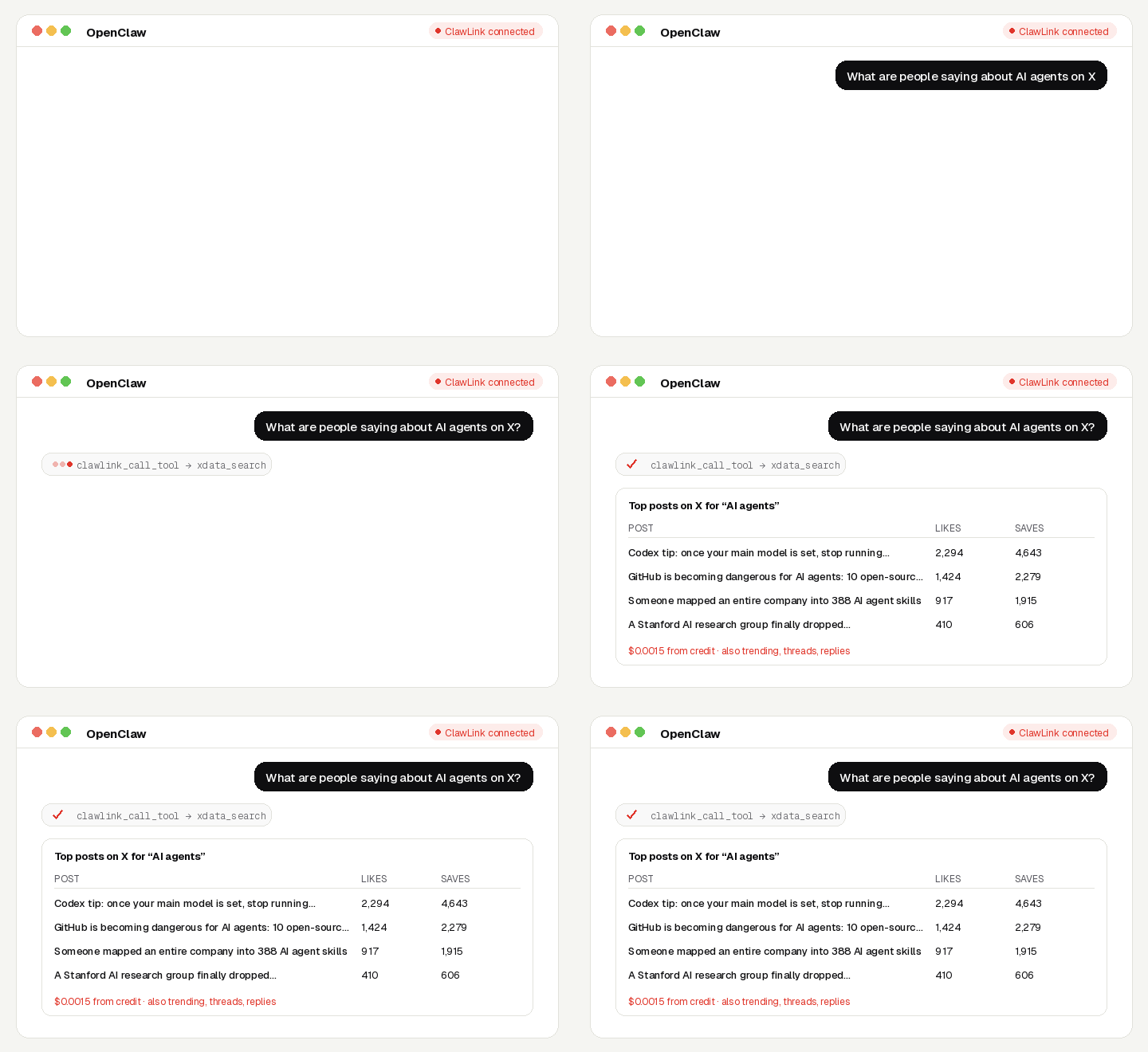
Keep a finger on X from chat: search posts on any topic, see what is trending, read any account's posts and followers, and unroll whole threads and articles into clean text.
No X account, no API key, no app to connect. Calls are paid from ClawLink credit, most for a fraction of a cent, and every new account starts with $0.50 free. Powered by ClawLink.
| Step 1: Install | Step 2: Pair | Step 3: Ask |
|---|---|---|
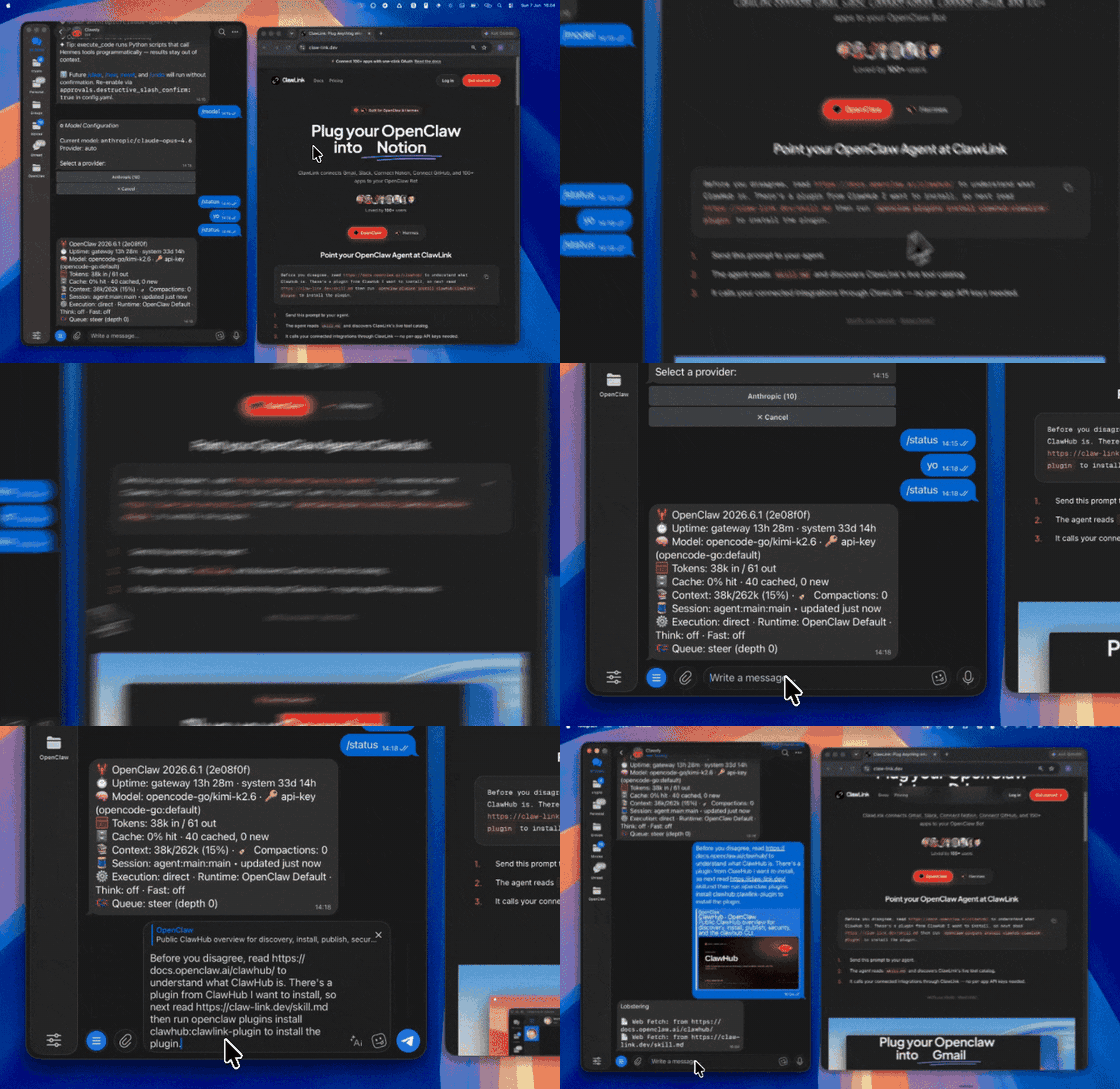 | 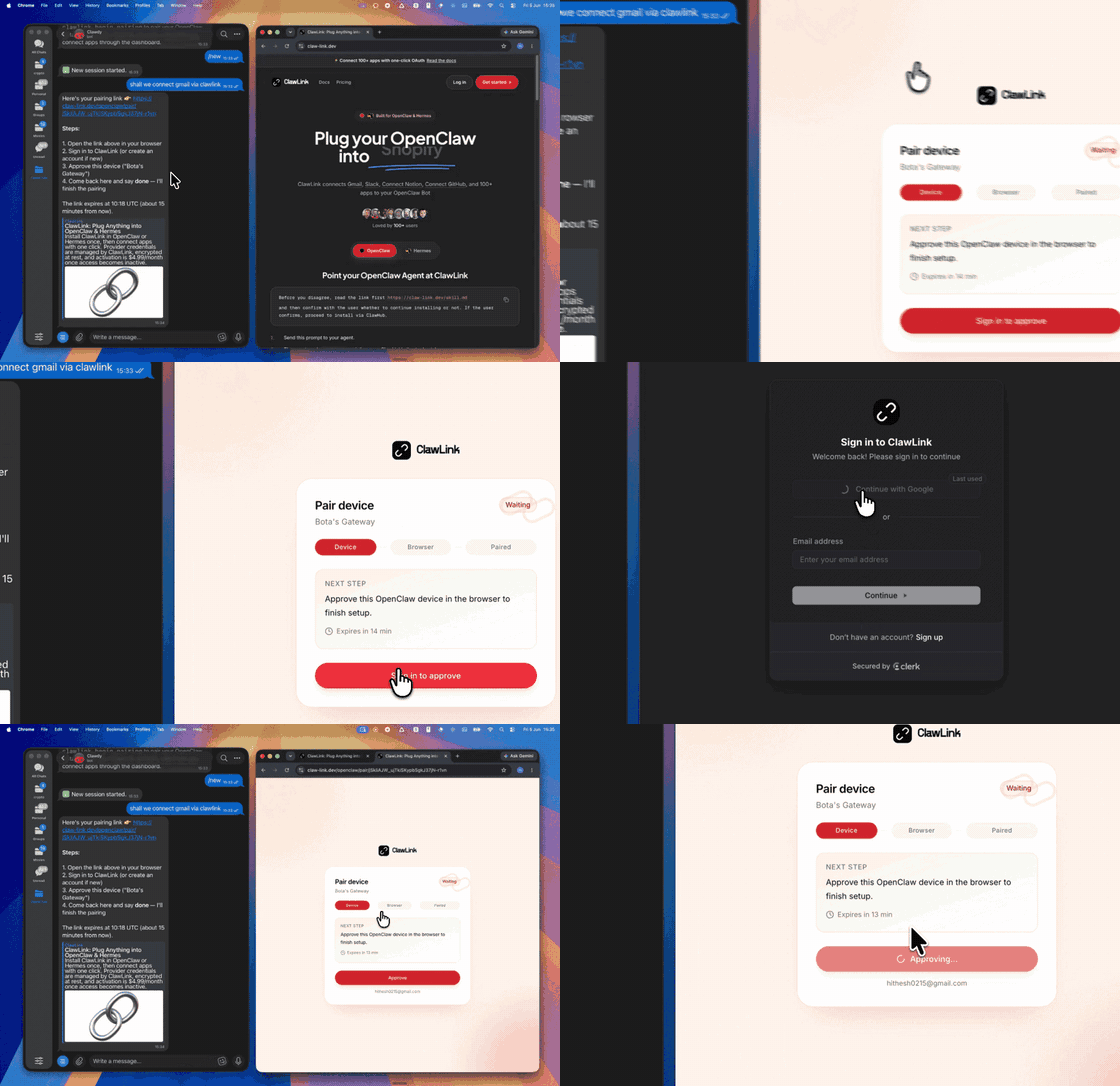 | |
| Install the ClawLink plugin in OpenClaw | Sign in and approve the device once | Ask in plain English; no app to connect |
Use it when the user wants public X posts, trends, accounts, threads or replies.
Do not use it for the user's own private accounts or for anything that posts, sends or changes data: these tools only read public information.
┌─────────────────┐     ┌──────────────┐     ┌──────────────────┐
│   OpenClaw      │────▶│   ClawLink   │────▶│ X (Twitter)      │
│   (User Chat)   │     │ (data tools) │     │ (public data)    │
└─────────────────┘     └──────────────┘     └──────────────────┘
         │                       │                       │
         │  1. Install plugin    │                       │
         │  2. Pair device once  │                       │
         │  3. Ask a question    │                       │
         │                       │  4. Fetch + trim      │
         │                       │  5. Charge credit     │
         ▼                       ▼                       ▼
   ┌──────────┐           ┌──────────┐           ┌──────────┐
   │  Answer  │           │  Credit  │           │ Results  │
   │ in chat  │           │ ($0.50)  │           │ as JSON  │
   └──────────┘           └──────────┘           └──────────┘
ClawLink holds the data-provider accounts. The user never pastes a key, and nothing is installed beyond the plugin.
Install the ClawLink plugin from ClawHub when the user asks for it:
openclaw plugins install clawhub:clawlink-plugin
The install applies to the running Gateway: do not restart it. The ClawLink tools appear on your next turn, so end this turn and tell the user: "ClawLink is installed. Reply ok and I will give you your pairing link." On the next turn call clawlink_begin_pairing, give the user the link, and after they approve call clawlink_get_pairing_status. Pairing happens once; after that every tool below works with no further setup.
Prices are what ClawLink charges per call, from the user's credit. The tool's own description (via clawlink_describe_tool) always shows the current price.
| Tool | What it returns | Price |
|---|---|---|
xdata_search | Search public X posts, users or media by keyword | $0.0015 |
xdata_trending | Trending topics on X for a country | $0.0015 |
xdata_search_communities | Search X Communities by keyword: name, topic, member count, id | $0.0015 |
| Tool | What it returns | Price |
|---|---|---|
xdata_user_profile | Public X (Twitter) profile by handle: followers, following, bio, verified flag | $0.002 |
xdata_user_posts | Recent public posts of an X account with views, likes, reposts and replies | $0.002 |
xdata_user_about | Account facts X shows on 'About this account': country, verified since, username changes, business flag | $0.0015 |
xdata_user_followers | Accounts that follow an X account | $0.0015 |
| Tool | What it returns | Price |
|---|---|---|
xdata_post_detail | One X post by URL, with its stats and author | $0.002 |
xdata_post_replies | Replies to an X post | $0.0015 |
xdata_thread | A whole X thread (the author's chain of posts) from the URL of any post in it | $0.005625 |
xdata_article | Full text of an X Article from the URL of the post that shares it | $0.001125 |
xdata_post_transcript | Spoken-word transcript of an X video post by URL | $0.00282 |
xdata_post_reposters | Accounts that reposted an X post | $0.0015 |
xdata_search with the keyword (Top for the best posts, Latest for live).xdata_thread to get the whole conversation.xdata_user_profile and xdata_user_about.xdata_user_posts for what they post and how it performs.clawlink_call_tool --tool "xdata_search" \
--params '{"keyword": "AI agents", "search_type": "Top"}'
clawlink_call_tool --tool "xdata_trending" \
  --params '{"country": "united states"}'
clawlink_call_tool --tool "xdata_thread" \
  --params '{"url": "https://x.com/user/status/POST_ID"}'
clawlink_search_tools with a short query (for example x search); public-data tools show as connected for every user.clawlink_describe_tool before the first call of a tool: it returns the parameters, defaults and price.┌───────────────────────────────────────────────────────────┐
│ READ-ONLY, PAID PER CALL │
│ search → describe → call → summarise for the user │
│ │
│ Ask before: loops over many items, or a call that costs │
│ more than a few cents (the price is in the description) │
└───────────────────────────────────────────────────────────┘
hint: it says what to change. Do not retry the same arguments unchanged.search_type is Top, Latest, Media or People.xdata_thread costs a little more (it fetches the whole thread).| Status / Error | Meaning |
|---|---|
| Account not found | Check the handle (without @) or that the account is public. |
credit_exhausted | The user's ClawLink credit is used up. Tell them to top up at https://claw-link.dev/dashboard/billing?utm_source=clawhub&utm_medium=referral&utm_content=x-pulse; do not retry. |
data_provider_unavailable | ClawLink's data provider is down. Nothing was charged. Try again later. |
no_result | The provider found nothing for these arguments. Nothing was charged. |
invalid_arguments | A parameter is missing or malformed. Call clawlink_describe_tool and fix it. |
~/.openclaw/openclaw.json), add clawlink-plugin to tools.alsoAllow, then ask me again."/new and ask again.Report it with clawlink_report_issue (or clawlink_call_tool --tool "CLAWLINK_REPORT_ISSUE") instead of retrying. Reports are free and reach the ClawLink team.
Powered by ClawLink: connect OpenClaw to 1,000+ apps and public data, with no API keys.