

Install
openclaw skills install @hith3sh/serp-sniperLive search engine results with no SEO tool subscription or API key. Google organic results for any keyword, country or city, Bing results, YouTube search rankings, Google autocomplete, and Google's AI Overview and AI Mode answers. Use this skill for rank tracking, competitor SERP analysis, local SEO checks, or seeing what Google shows for a query.
openclaw skills install @hith3sh/serp-sniper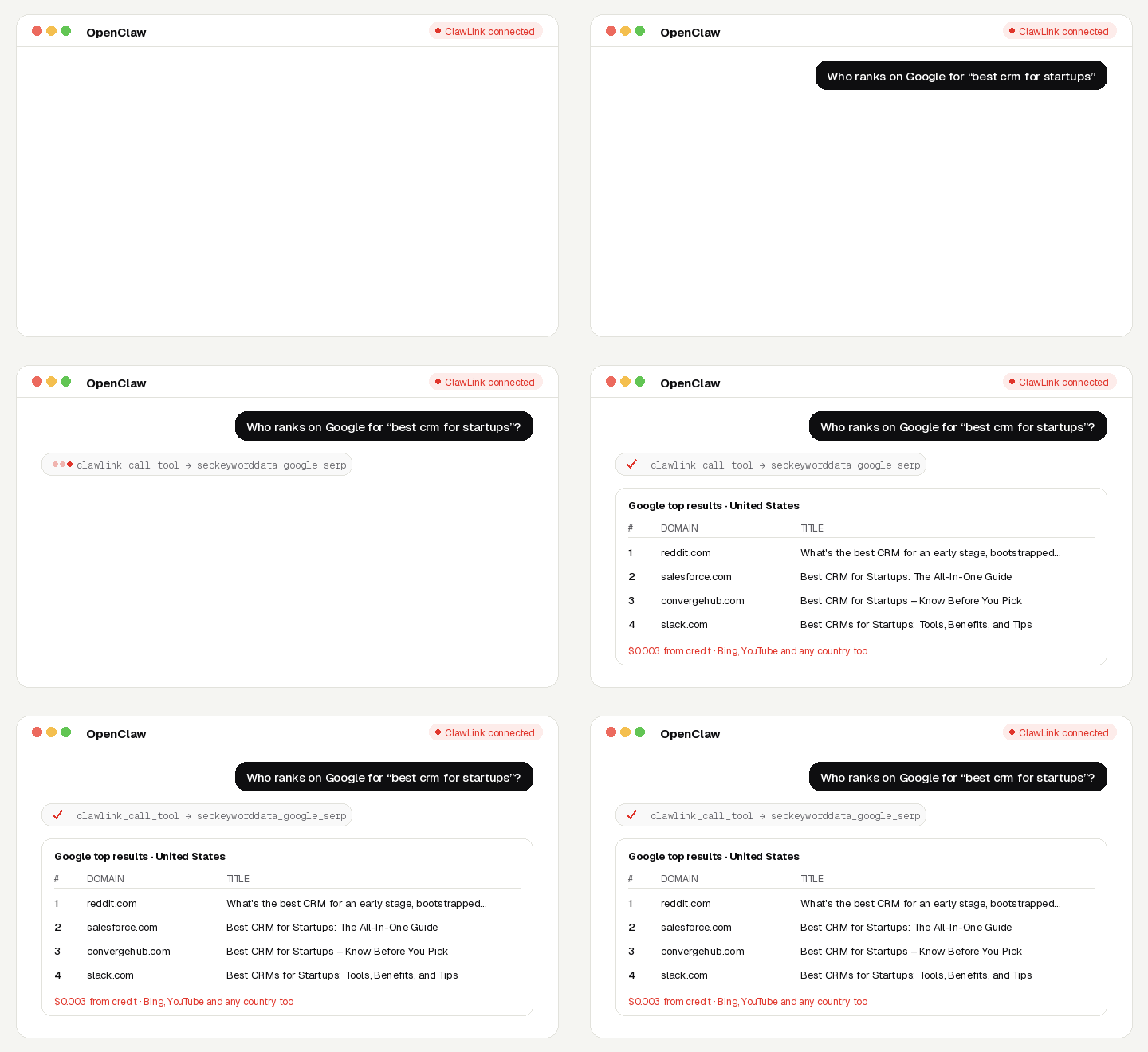
See exactly what Google, Bing and YouTube show for any keyword, in any country or city, plus Google's AI Overview and AI Mode answers.
No SEO-tool account, no API key, no app to connect. Calls are paid from ClawLink credit, most for a fraction of a cent, and every new account starts with $0.50 free. Powered by ClawLink.
| Step 1: Install | Step 2: Pair | Step 3: Ask |
|---|---|---|
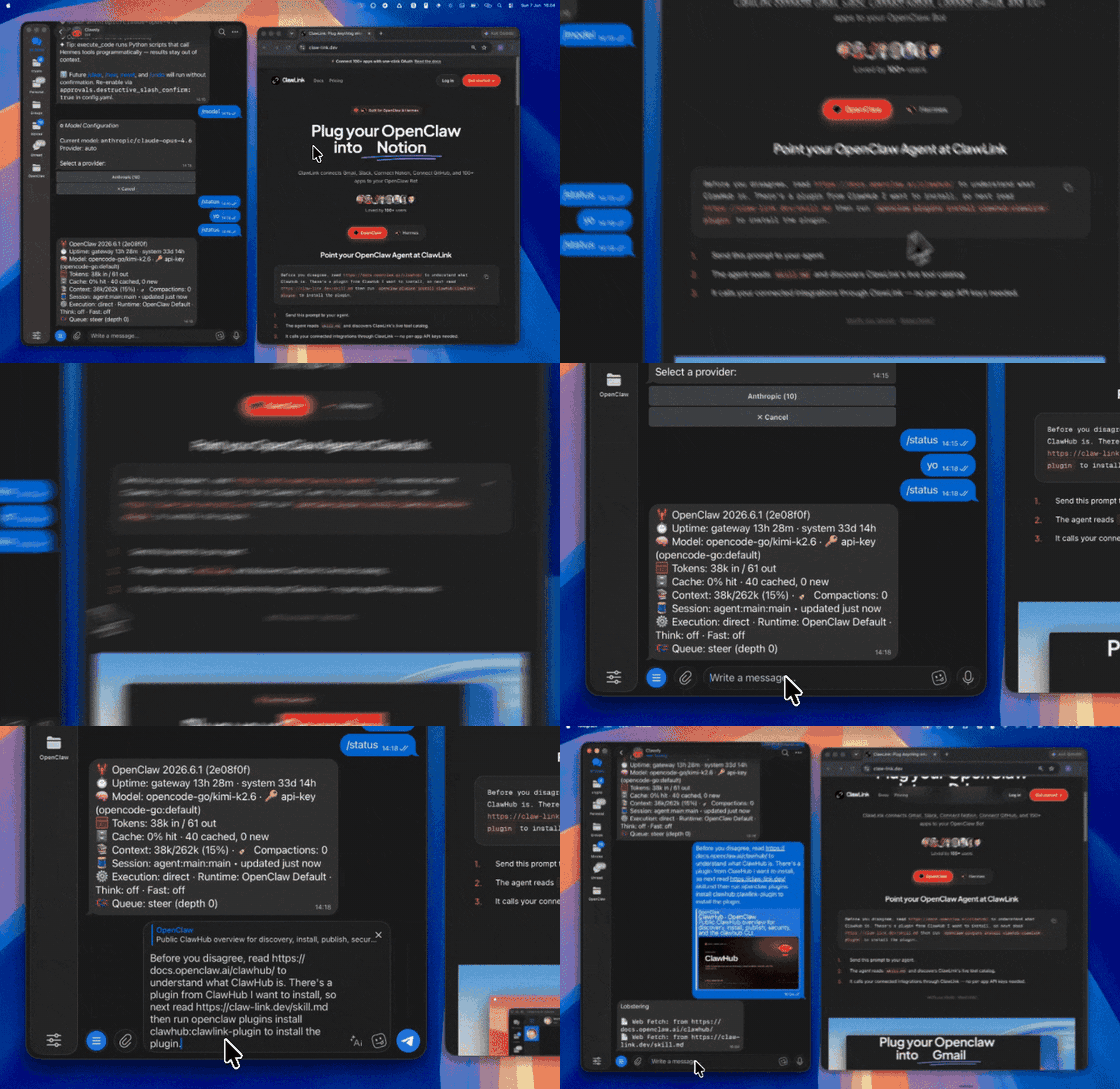 | 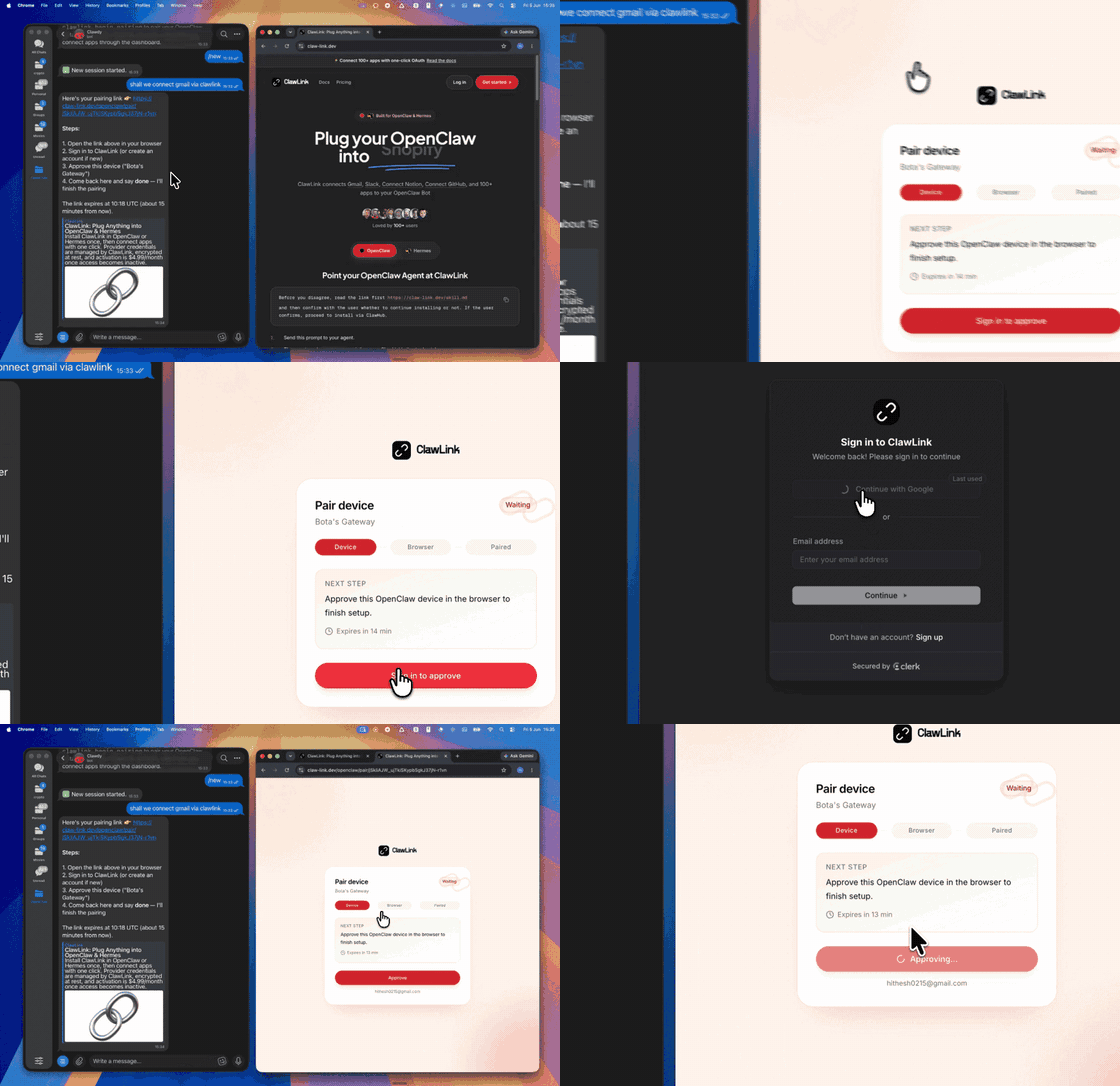 | |
| Install the ClawLink plugin in OpenClaw | Sign in and approve the device once | Ask in plain English; no app to connect |
Use it when the user wants live search results or rankings for a keyword.
Do not use it for the user's own private accounts or for anything that posts, sends or changes data: these tools only read public information.
┌─────────────────┐     ┌──────────────┐     ┌──────────────────┐
│   OpenClaw      │────▶│   ClawLink   │────▶│ Google/Bing/YT   │
│   (User Chat)   │     │ (data tools) │     │ (public data)    │
└─────────────────┘     └──────────────┘     └──────────────────┘
         │                       │                       │
         │  1. Install plugin    │                       │
         │  2. Pair device once  │                       │
         │  3. Ask a question    │                       │
         │                       │  4. Fetch + trim      │
         │                       │  5. Charge credit     │
         ▼                       ▼                       ▼
   ┌──────────┐           ┌──────────┐           ┌──────────┐
   │  Answer  │           │  Credit  │           │ Results  │
   │ in chat  │           │ ($0.50)  │           │ as JSON  │
   └──────────┘           └──────────┘           └──────────┘
ClawLink holds the data-provider accounts. The user never pastes a key, and nothing is installed beyond the plugin.
Install the ClawLink plugin from ClawHub when the user asks for it:
openclaw plugins install clawhub:clawlink-plugin
The install applies to the running Gateway: do not restart it. The ClawLink tools appear on your next turn, so end this turn and tell the user: "ClawLink is installed. Reply ok and I will give you your pairing link." On the next turn call clawlink_begin_pairing, give the user the link, and after they approve call clawlink_get_pairing_status. Pairing happens once; after that every tool below works with no further setup.
Prices are what ClawLink charges per call, from the user's credit. The tool's own description (via clawlink_describe_tool) always shows the current price.
| Tool | What it returns | Price |
|---|---|---|
seokeyworddata_google_serp | Live Google results for a keyword: organic rankings with titles, URLs and snippets, plus People Also Ask, videos and… | $0.003 |
seokeyworddata_bing_serp | Live Bing top 10 results for a keyword: rankings with titles, URLs and snippets | $0.003 |
seokeyworddata_youtube_serp | Live YouTube search results for a keyword in a given country and language, with rank positions, views, channel and… | $0.003 |
| Tool | What it returns | Price |
|---|---|---|
seokeyworddata_google_autocomplete | Google autocomplete suggestions for a partial query, in the order Google shows them | $0.003 |
aivisibilitydata_google_ai_overview | Google's AI Overview for a keyword, with the pages it cites, next to the top 10 organic results | $0.006 |
aivisibilitydata_google_ai_mode | Google AI Mode's answer to a query, with the pages it cites | $0.006 |
seokeyworddata_google_serp with the keyword and location; raise depth to see past page 1.clawlink_call_tool --tool "seokeyworddata_google_serp" \
--params '{"keyword": "best crm for startups", "location_name": "United States"}'
clawlink_call_tool --tool "seokeyworddata_google_serp" \
  --params '{"keyword": "vegan bakery", "location_name": "Austin,Texas,United States"}'
clawlink_search_tools with a short query (for example google serp); public-data tools show as connected for every user.clawlink_describe_tool before the first call of a tool: it returns the parameters, defaults and price.┌───────────────────────────────────────────────────────────┐
│ READ-ONLY, PAID PER CALL │
│ search → describe → call → summarise for the user │
│ │
│ Ask before: loops over many items, or a call that costs │
│ more than a few cents (the price is in the description) │
└───────────────────────────────────────────────────────────┘
hint: it says what to change. Do not retry the same arguments unchanged.location_name takes a country, or City,Region,Country.depth above 10 costs more; it is priced per 10 results.| Status / Error | Meaning |
|---|---|
| Location not found | Use the English name, or City,Region,Country. |
credit_exhausted | The user's ClawLink credit is used up. Tell them to top up at https://claw-link.dev/dashboard/billing?utm_source=clawhub&utm_medium=referral&utm_content=serp-sniper; do not retry. |
data_provider_unavailable | ClawLink's data provider is down. Nothing was charged. Try again later. |
no_result | The provider found nothing for these arguments. Nothing was charged. |
invalid_arguments | A parameter is missing or malformed. Call clawlink_describe_tool and fix it. |
~/.openclaw/openclaw.json), add clawlink-plugin to tools.alsoAllow, then ask me again."/new and ask again.Report it with clawlink_report_issue (or clawlink_call_tool --tool "CLAWLINK_REPORT_ISSUE") instead of retrying. Reports are free and reach the ClawLink team.
Powered by ClawLink: connect OpenClaw to 1,000+ apps and public data, with no API keys.