
T08 · Insecure Dependencies
Warning
- Location
README.md:45- Finding
Unpinned Package and Repository Execution During Installation
- Content
View full analysis
- Remediation
View remediation
Security audit
Security checks for vulnerabilities and agentic risk
The skill mostly does the advertised CyberBara media-generation work, but its documented install path and runtime defaults deserve review before use.
Review and pin the installer and repository revision before installing. Prefer `CYBERBARA_API_KEY` or another secret manager over putting keys on the command line, protect or rotate any saved key, use `--no-open` unless you trust generated output files, and avoid the `raw` command unless you know exactly which CyberBara endpoint will be called.
README.md:45Unpinned Package and Repository Execution During Installation
src/cyberbara_cli/usecases/media_output.py:57Untrusted Task Output Is Downloaded and Automatically Opened
src/cyberbara_cli/config.py:54API Keys Are Accepted Through Process Arguments and Echoed Interactive Input
Based on the provided code chunk alone, the implementation shown does not substantiate the declared purpose. The code simply prepares Python import paths and delegates execution to another module. While the missing imported module could potentially implement the declared features, this chunk itself is a generic CLI launcher and does not accurately represent the rich AI media-generation behavior described. Therefore the description does not accurately match the supplied code chunk.
There is a clear mismatch because the declared description claims a full-featured AI image/video generation skill with multiple workflows and auxiliary features, while the provided code chunk contains only an empty package initializer with a docstring. No functional behavior supporting the declared purpose is present in this snippet. Based on the supplied code alone, the actual behavior is effectively just package declaration/metadata, which is materially different from the stated purpose.
The declared description focuses on media generation capabilities such as text-to-image, text-to-video, prompt optimization, credit estimation, polling, and media handling. None of those behaviors appear in this code chunk. Instead, the code is solely a configuration/credential helper for obtaining and caching an API key in the user's home directory. This is a materially different purpose from the declared user-facing functionality, so the description does not accurately represent this code chunk.
The declared description presents a full-featured AI image/video generation skill. However, the supplied code chunk is only a minimal init.py file that imports and exposes CyberbaraClient. Based on this chunk alone, none of the advertised functionality is implemented or evidenced. This is a material mismatch between the declared purpose and the actual visible behavior of the provided code.
The declared description presents a full-featured AI image/video generation skill, but the supplied code chunk contains only generic CLI output utilities for JSON formatting and error printing. It does not interact with any AI models, media generation APIs, prompt optimization logic, polling mechanisms, or credit estimation. This is a materially different purpose, so the description does not accurately represent the behavior of the provided code.
The declared description presents a full-featured AI image/video generation skill with multiple generation modes and operational features. The actual code chunk does not perform any media generation, model invocation, prompt optimization, polling, output handling, or estimation logic. It is a generic payload parsing utility for command-line JSON input. This is a materially different primary purpose from the declared description, so it should be flagged as a mismatch.
The declared description presents a full-featured generative media skill, but the provided code chunk does not implement any of those capabilities. It is only an empty package initializer for runtime behavior guard policies. This is a materially different purpose, so the description does not accurately represent the actual code shown.
There is a clear mismatch between the declared description and the provided code. The description claims substantial functionality related to AI media generation and workflow orchestration, but the actual code chunk is only an empty package initializer with a docstring ("Use cases package."). It contains no operational logic and does not demonstrate any of the declared capabilities. Based on this supplied chunk alone, the description does not accurately represent the code's behavior.
The README tells users to run npx skills add ... without pinning a specific package version or commit. This allows whatever the latest published skills package resolves to at execution time, creating a supply-chain risk where a compromised or malicious upstream release could execute arbitrary code during installation.
This installation command uses npx skills without any version pinning. If the referenced package or its dependencies are hijacked or updated maliciously, users following the README may execute attacker-controlled code on their system.
The README again instructs use of an unpinned npx skills command, which is a real supply-chain exposure. Because this is an install path for an agent skill, the command may be run in trusted development environments where arbitrary package execution has meaningful impact.
This command continues the same pattern of invoking npx skills without pinning a version. In practice, this exposes users to registry compromise, typosquatting, or malicious future releases that could run code at install time.
The agent-specific installation example still depends on an unpinned npx skills invocation. The surrounding skill context increases risk because users are explicitly encouraged to paste the command into AI-assisted environments, reducing scrutiny over what will be executed.
The README instructs users to persist an API key to ~/.config/cyberbara/api_key but does not warn about local secret exposure, permissions, shell history leakage, or shared-machine risks. In an agent/developer-tool context, storing long-lived credentials without security guidance can lead to credential theft and unauthorized API usage.
The phrase 'Help me install this skill, use command ...' is broad natural-language text designed to be pasted into an agent chat, and it overlaps with ordinary user phrasing. In a skill ecosystem, broad trigger/install phrasing can cause accidental invocation or socially engineer users into delegating installation and code execution to an agent without sufficient review.
The README instructs users to run npx skills add ... without pinning a specific package version or commit. That causes installation and execution to depend on whatever package/version is current at runtime, creating a supply-chain risk if the package is updated maliciously or a compromised release is published.
This command references npx skills without version pinning, so users may install or execute a different artifact over time than the author reviewed. In a skill ecosystem, that can directly expose agents and developer environments to unreviewed code execution through a mutable dependency path.
Using npx skills here without a pinned version leaves the install path vulnerable to upstream package substitution or compromised future releases. Because the command is part of the documented installation flow, users are likely to copy-paste it directly, amplifying the supply-chain exposure.
The README again promotes execution of an unpinned npx skills command, which can fetch mutable code at install time. Since this is framed as the primary install path, the skill context makes the issue more dangerous because it encourages agent-assisted installation of code from a changing trust boundary.
This install example still relies on unpinned npx skills, so the exact code executed is not stable or auditable over time. That creates a realistic supply-chain attack surface, especially for users who install for multiple agents and may grant broader integration access.
The README states that the API key is stored at ~/.config/cyberbara/api_key but does not clearly warn about the security implications of writing long-lived credentials to disk. In agent-enabled environments or shared systems, disk-stored secrets may be exposed through weak file permissions, backups, logs, or unintended workspace access.
Data is being sent to an external URL. This could be legitimate telemetry or data exfiltration. Manual review is recommended.
## Star History
[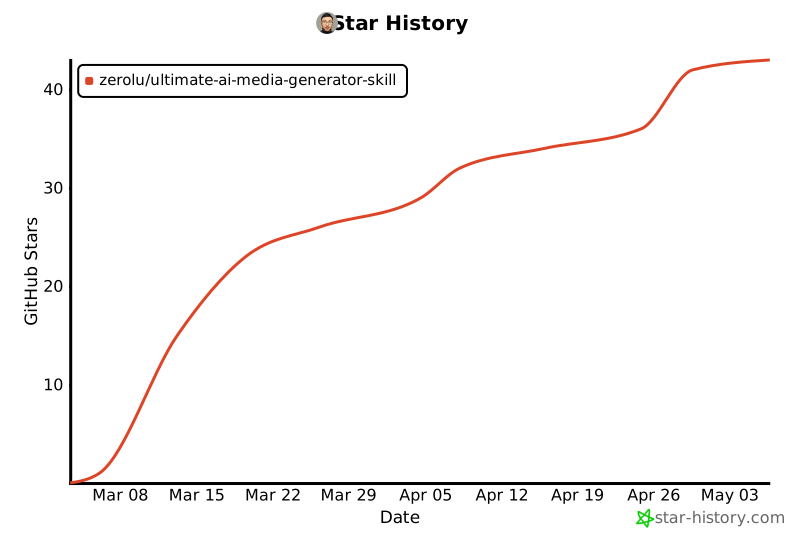](https://star-history.com/#ZeroLu/Ultimate-AI-Media-Generator-Skill&Date)
Data is being sent to an external URL. This could be legitimate telemetry or data exfiltration. Manual review is recommended.
## Star History
[](https://star-history.com/#ZeroLu/Ultimate-AI-Media-Generator-Skill&Date)
The skill documentation describes capabilities that require sensitive operations including environment access, filesystem reads/writes, network access, and shell execution, but it declares no explicit tool scope or permission boundaries. In an agent environment, that omission can cause over-broad default execution authority, increasing the risk of unintended credential access, local file modification, or arbitrary command execution when the skill is invoked.
Skill establishes unauthorized persistence across sessions via cron jobs, startup scripts, or state files. Session persistence allows an attacker to maintain access beyond the current interaction.
This skill automatically optimizes prompts for specific use cases to achieve the best results:

- **SEO Articles** — Generate featured images and illustrations optimized for blog posts and articles
- **Presentations/Slides** — Create professional visuals for PowerPoint, Keynote, and Google Slides
- **Anime/Manga** — Generate anime-style artwork with optimized prompts for consistent style
- **Product Photography** — Create product shots with proper lighting and composition
- **Social Media** — Generate platform-optimized visuals for Instagram, TikTok, YouTube
No suspicious patterns detected.