Install
openclaw skills install @hith3sh/zoho-deskZoho Desk API integration with managed OAuth. Manage support tickets, track conversations, list departments and agents, handle contacts and organizations. Use this skill when users want to create support tickets, view ticket conversations, manage customer support workflows, or check agent and department details.
openclaw skills install @hith3sh/zoho-desk
Customer support from chat -- create tickets, view conversations, manage contacts, departments, and agents.
Powered by ClawLink, an integration hub for OpenClaw that handles hosted OAuth flows and credentials so you don't need to configure Zoho Desk API access yourself.
| Step 1: Install | Step 2: Pair Account | Step 3: Connect Zoho Desk |
|---|---|---|
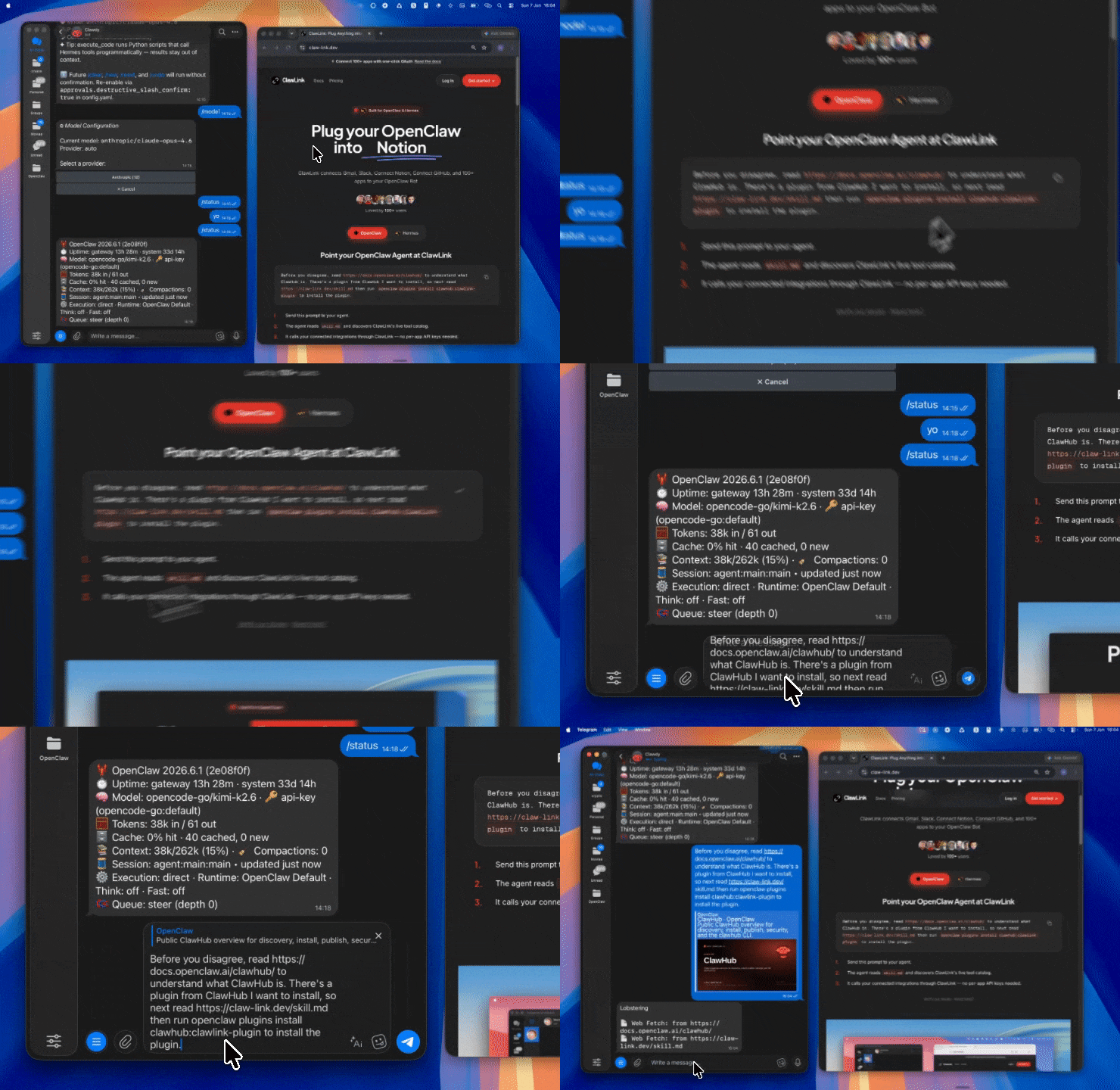 | 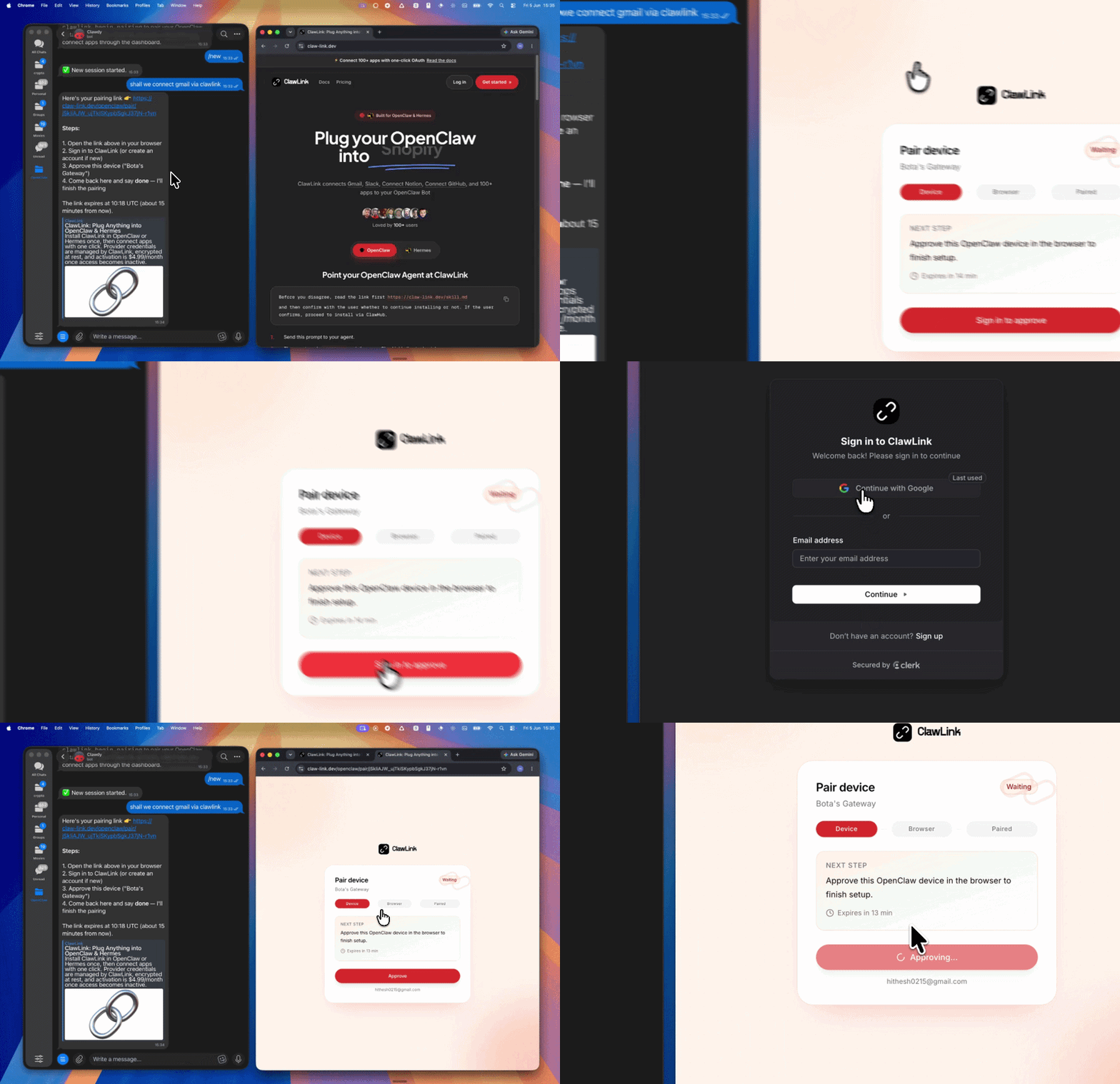 | App-specific connection GIF coming soon |
| Run the install command in OpenClaw | Sign in and approve the device | Open the dashboard and connect Zoho Desk |
┌─────────────────┐     ┌──────────────┐     ┌──────────────────┐
│   OpenClaw      │────▶│   ClawLink   │────▶│ Zoho Desk API    │
│   (User Chat)   │     │   (OAuth)    │     │                  │
└─────────────────┘     └──────────────┘     └──────────────────┘
openclaw plugins install clawhub:clawlink-plugin
openclaw config set tools.alsoAllow '["clawlink-plugin"]' --strict-json
openclaw gateway restart
zoho_desk_list_organizations -- discover your org and portal URLs.zoho_desk_list_tickets -- view open support tickets.zoho_desk_create_ticket -- open a new support request.Zoho Desk uses managed OAuth via ClawLink. No API keys needed. Connect at claw-link.dev/dashboard?add=zoho-desk.
List connections: clawlink_list_integrations -- confirm Zoho Desk is connected.
Verify: Call zoho_desk_list_organizations to test access.
Reconnect: If you see auth errors, reconnect at claw-link.dev/dashboard?add=zoho-desk.
Read operations (list tickets, get conversations) run safely. Write operations (create ticket, update tasks) require confirmation.
| Tool | Description | Mode |
|---|---|---|
zoho_desk_list_tickets | List tickets with optional filters | Read |
zoho_desk_get_ticket | Get details of a specific ticket | Read |
zoho_desk_create_ticket | Create a new support ticket | Write |
zoho_desk_get_ticket_resolution | Get the resolution for a ticket | Read |
zoho_desk_list_ticket_conversations | List all conversations for a ticket | Read |
zoho_desk_get_ticket_latest_thread | Get the most recent thread on a ticket | Read |
zoho_desk_get_ticket_thread | Get a specific thread within a ticket | Read |
| Tool | Description | Mode |
|---|---|---|
zoho_desk_list_contacts | List contacts with filters and pagination | Read |
zoho_desk_get_contact | Get details of a specific contact | Read |
zoho_desk_get_contacts_by_ids | Fetch multiple contacts by IDs | Read |
zoho_desk_list_contact_accounts | List accounts associated with a contact | Read |
| Tool | Description | Mode |
|---|---|---|
zoho_desk_get_agent | Get details of a specific agent | Read |
zoho_desk_get_agents_count | Get total agent count with optional filters | Read |
| Tool | Description | Mode |
|---|---|---|
zoho_desk_list_departments | List all departments | Read |
zoho_desk_get_department | Get details of a specific department | Read |
zoho_desk_get_departments_count | Get total department count | Read |
zoho_desk_get_department_logo | Download a department's logo | Read |
zoho_desk_upload_department_logo | Upload/update a department logo | Write |
zoho_desk_list_teams_in_department | List teams within a department | Read |
| Tool | Description | Mode |
|---|---|---|
zoho_desk_list_organizations | List organizations the user belongs to | Read |
| Tool | Description | Mode |
|---|---|---|
zoho_desk_list_roles | List all roles | Read |
zoho_desk_list_roles_by_ids | List roles by specific IDs | Read |
| Tool | Description | Mode |
|---|---|---|
zoho_desk_update_many_tasks | Update multiple tasks in a single call | Write |
List open tickets
{ "tool": "zoho_desk_list_tickets" }
Create a support ticket
{
  "tool": "zoho_desk_create_ticket",
  "args": {
    "subject": "Cannot access account",
    "description": "User unable to log in since Monday",
    "departmentId": "123456789",
    "contactId": "987654321"
  }
}
Get the latest conversation on a ticket
{
  "tool": "zoho_desk_get_ticket_latest_thread",
  "args": { "ticketId": "abc123" }
}
clawlink_list_integrations to confirm zoho-desk is connected.clawlink_list_tools --integration zoho-desk to see the live catalog.zoho_desk_list_organizations to get org details.Read Flow: User asks for tickets → clawlink resolves connection → Zoho Desk API → results displayed
Write Flow: User wants to create ticket → confirmation prompt → clawlink resolves connection → Zoho Desk API → ticket created
departmentId. Use zoho_desk_list_departments to discover IDs.id and webUrl for downstream chaining.zoho_desk_get_contacts_by_ids to batch-fetch multiple contacts efficiently.zoho) -- Full Zoho CRM suitezoho-bigin) -- Small business CRMzoho-inventory) -- Stock and order managementzoho-invoice) -- Invoicing and billingzoho-mail) -- Business email| Status / Error | Meaning |
|---|---|
| 401 Unauthorized | Token expired; reconnect at the dashboard |
| 404 Not Found | Invalid ticket, contact, or department ID |
| 400 Bad Request | Missing required fields for ticket creation |
Run openclaw gateway restart after installing the plugin. Start a fresh chat session.
Ensure you have the correct departmentId from zoho_desk_list_departments.
Powered by ClawLink -- an integration hub for OpenClaw