Install
openclaw skills install @hith3sh/salesforce-opsSalesforce CRM integration with managed OAuth. Manage accounts, contacts, leads, opportunities, campaigns, tasks, reports, SOQL queries, and SObject records through the Salesforce REST API.
openclaw skills install @hith3sh/salesforce-ops
Connect to Salesforce to manage accounts, contacts, leads, opportunities, campaigns, tasks, reports, and SObject records. Query data with SOQL, create and update records, manage files and attachments, and work with Salesforce objects via the REST API.
This skill uses ClawLink for hosted connection flows and credentials so you do not need to configure Salesforce OAuth access yourself.
| Step 1: Install | Step 2: Pair Account | Step 3: Connect Salesforce |
|---|---|---|
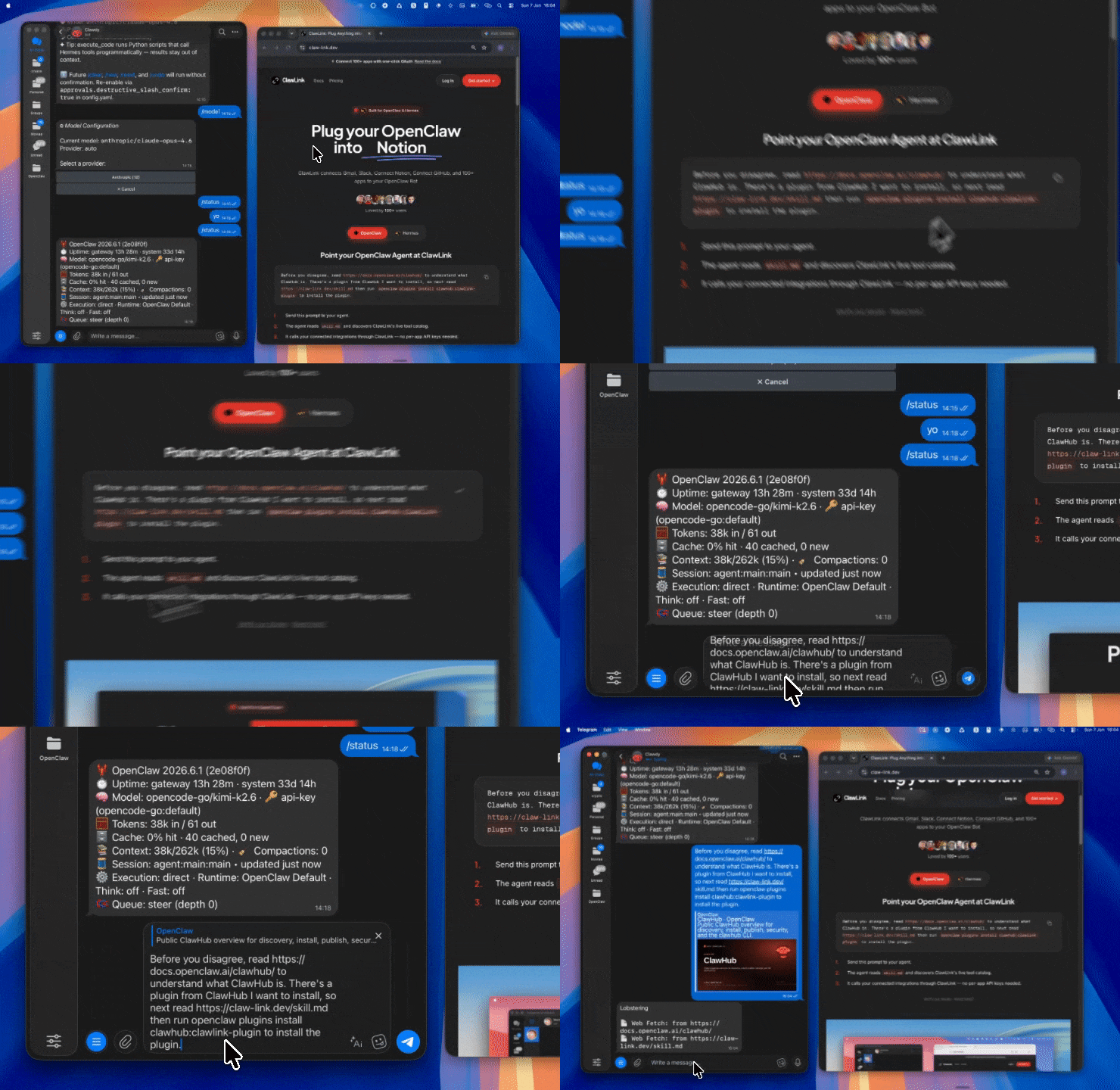 | 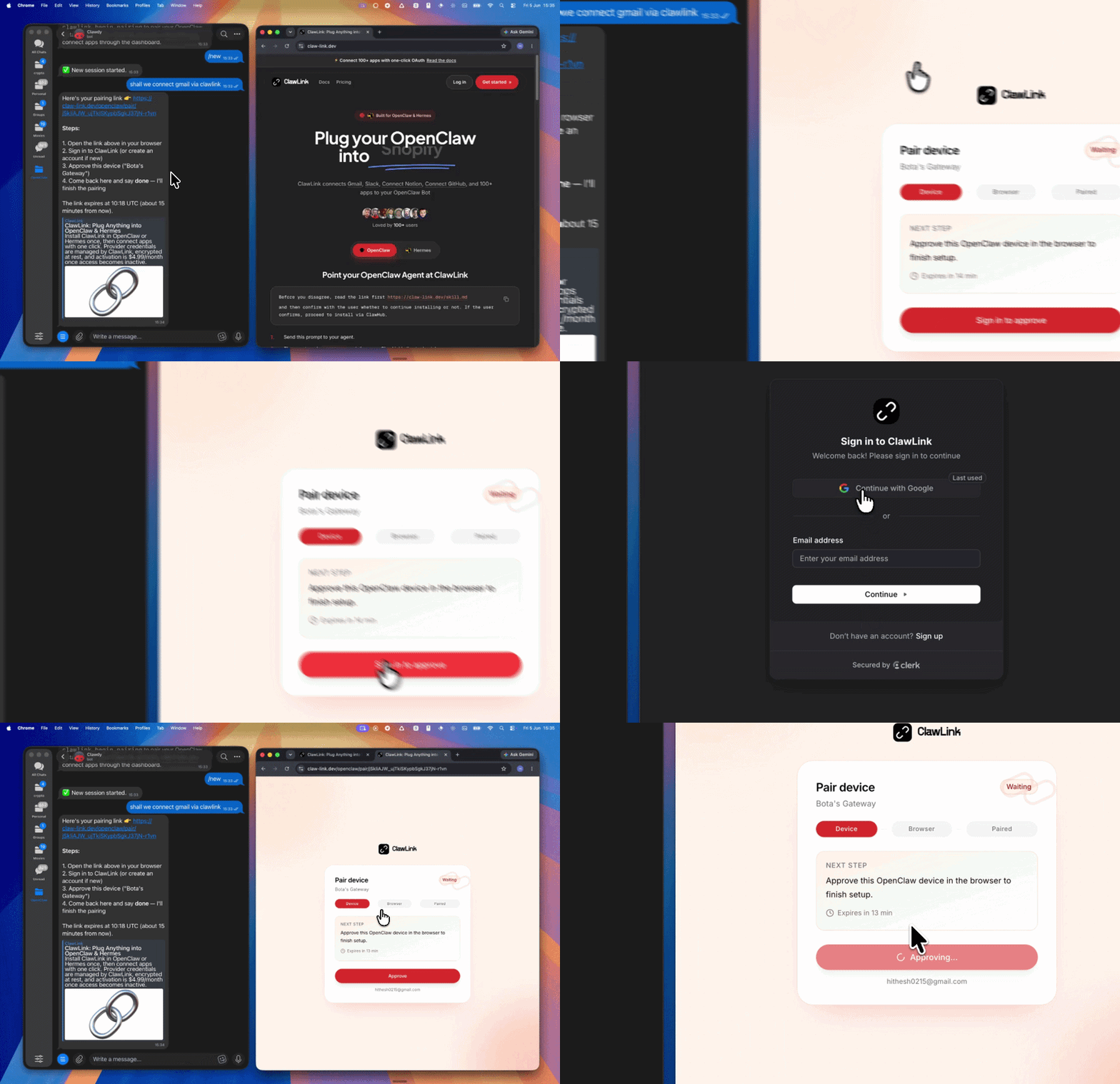 | App-specific connection GIF coming soon |
| Run the install command in OpenClaw | Sign in and approve the device | Open the dashboard and connect Salesforce |
┌─────────────────┐     ┌──────────────┐     ┌──────────────────┐
│   OpenClaw      │────▶│   ClawLink   │────▶│  Salesforce API  │
│   (User Chat)   │     │   (OAuth)    │     │  (SObjects,      │
│                 │     │              │     │  Reports, SOQL)  │
└─────────────────┘     └──────────────┘     └──────────────────┘
         │                    │                      │
         │  1. Install Plugin │                      │
         │  2. Pair Device    │                      │
         │  3. Connect Salesforce │                   │
         │                    │  4. OAuth Proxy      │
         │                    │  5. Request Forward  │
         │                    │                      │
         ▼                    ▼                      ▼
   ┌──────────┐        ┌──────────┐         ┌──────────┐
   │   SKILL  │        │ Dashboard│         │ Salesforce│
   │   File   │        │   Auth   │         │  Cloud   │
   └──────────┘        └──────────┘         └──────────┘
Install the verified ClawLink plugin from ClawHub. After the user confirms, complete the full setup so ClawLink tools are visible in the next OpenClaw chat.
openclaw plugins install clawhub:clawlink-plugin
openclaw config set tools.alsoAllow '["clawlink-plugin"]' --strict-json
openclaw gateway restart
Then tell the user: "OpenClaw has been restarted. Send /new as a standalone message to start a fresh chat, then ask for Salesforce again."
# Get account details
clawlink_call_tool --tool "salesforce_get_account" --params '{"account_id": "YOUR_ACCOUNT_ID"}'

# Search across objects with SOSL
clawlink_call_tool --tool "salesforce_execute_sosl_search" --params '{"query": "FIND {Alice*} RETURNING Contact"}'

# Create a new lead
clawlink_call_tool --tool "salesforce_create_lead" --params '{"last_name": "Smith", "company": "Acme Corp", "email": "alice@acme.com"}'
All Salesforce tool calls are authenticated automatically by ClawLink using the user's connected Salesforce account via OAuth.
No OAuth setup is required in chat. ClawLink manages the OAuth flow and token refresh automatically.
clawlink_begin_pairing if it is not configured yet.clawlink_list_integrations to verify the connection is active.clawlink_list_integrations
Response: Returns all connected integrations. Look for salesforce in the list.
clawlink_list_tools --integration salesforce
Response: Returns the live tool catalog for Salesforce.
If Salesforce tools are missing or the connection shows an error:
clawlink_list_integrations to verifyclawlink_list_tools --integration salesforce| Tool | Description | Mode |
|---|---|---|
salesforce_get_account | Retrieve a specific account by ID with all available fields | Read |
salesforce_create_account | Create a new account in Salesforce (returns ID at data.response_data.id) | Write |
salesforce_delete_account | Permanently delete an account from Salesforce | Write |
salesforce_associate_contact_to_account | Associate a contact with an account by updating its AccountId field | Write |
| Tool | Description | Mode |
|---|---|---|
salesforce_get_contact | Retrieve a specific contact by ID with all available fields | Read |
salesforce_get_lead | Retrieve a specific lead by ID with all available fields | Read |
salesforce_create_contact | Create a new contact in Salesforce | Write |
salesforce_create_lead | Create a new lead (LastName and Company required; org validation may require additional fields) | Write |
salesforce_delete_contact | Permanently delete a contact from Salesforce | Write |
salesforce_delete_lead | Permanently delete a lead from Salesforce | Write |
salesforce_add_contact_to_campaign | Add a contact to a campaign by creating a CampaignMember record | Write |
salesforce_add_lead_to_campaign | Add a lead to a campaign (both IDs must reference active, existing records) | Write |
salesforce_apply_lead_assignment_rules | Apply configured lead assignment rules to route a lead to the appropriate owner | Write |
| Tool | Description | Mode |
|---|---|---|
salesforce_get_opportunity | Retrieve a specific opportunity by ID with all available fields | Read |
salesforce_create_opportunity | Create a new opportunity in Salesforce | Write |
salesforce_delete_opportunity | Permanently delete an opportunity from Salesforce | Write |
salesforce_clone_opportunity_with_products | Clone an opportunity and optionally its line items | Write |
salesforce_add_opportunity_line_item | Add a product (line item) to an opportunity | Write |
| Tool | Description | Mode |
|---|---|---|
salesforce_get_campaign | Retrieve a specific campaign by ID with all available fields | Read |
salesforce_create_campaign | Create a new campaign (name required; type, status, start_date, end_date often required by org validation) | Write |
salesforce_delete_campaign | Permanently delete a campaign from Salesforce | Write |
| Tool | Description | Mode |
|---|---|---|
salesforce_create_task | Create a new task to track activities related to contacts, leads, or other records | Write |
salesforce_complete_task | Mark a task as completed with optional completion notes | Write |
| Tool | Description | Mode |
|---|---|---|
salesforce_get_note | Retrieve a specific note by ID (private notes require sufficient permissions) | Read |
salesforce_create_note | Create a new note attached to a Salesforce record (no deduplication — identical calls create duplicates) | Write |
salesforce_delete_note | Permanently delete a note from Salesforce | Write |
| Tool | Description | Mode |
|---|---|---|
salesforce_get_file_information | Retrieve comprehensive metadata for a file (ownership, sharing, download URLs, rendition status) | Read |
salesforce_get_file_content | Return binary content of a Salesforce file for download or retrieval | Read |
salesforce_get_file_shares | Get information about objects with which a file has been shared | Read |
salesforce_delete_file | Permanently delete a file from Salesforce | Write |
salesforce_get_chatter_resources | Access Chatter resources directory (feeds, groups, users, emojis, streams) | Read |
| Tool | Description | Mode |
|---|---|---|
salesforce_execute_sosl_search | Execute a SOSL search to search across multiple Salesforce objects simultaneously | Read |
salesforce_get_query_job_results | Retrieve results for a completed Bulk API v2 query job in CSV format | Read |
salesforce_get_sobject_by_external_id | Retrieve a Salesforce record by matching an external ID field value | Read |
| Tool | Description | Mode |
|---|---|---|
salesforce_get_s_object_record | Retrieve a single Salesforce record by ID from any sObject type | Read |
salesforce_get_a_batch_of_records | Retrieve multiple Salesforce records in a single request (up to 200 records) | Read |
salesforce_create_s_object_record | Create a new record of any standard or custom Salesforce object type | Write |
salesforce_delete_sobject | Delete a single Salesforce record by its ID (idempotent — deleting same record multiple times returns success) | Write |
salesforce_delete_sobject_collections | Delete up to 200 records in one request with optional rollback | Write |
salesforce_clone_record | Clone an existing Salesforce record (optionally apply field updates to the clone) | Write |
salesforce_create_sobject_tree | Create nested parent-child record hierarchies in a single atomic operation (up to 200 records, 5 levels deep) | Write |
salesforce_execute_sobject_quick_action | Execute a specific quick action on an sObject to create records with pre-configured defaults | Write |
| Tool | Description | Mode |
|---|---|---|
salesforce_get_job_failed_record_results | Get records that failed during a Bulk API 2.0 ingest operation | Read |
salesforce_get_job_successful_record_results | Get records successfully processed during a bulk operation | Read |
salesforce_get_job_unprocessed_record_results | Get records not processed during a bulk operation (job aborted or interrupted) | Read |
salesforce_close_or_abort_job | Close (state: UploadComplete) or abort (state: Aborted) a Bulk API v2 ingest job | Write |
| Tool | Description | Mode |
|---|---|---|
salesforce_get_all_custom_objects | Retrieve all Salesforce objects (standard and custom) with metadata | Read |
salesforce_get_all_fields_for_object | Retrieve all fields (standard and custom) for a Salesforce object | Read |
salesforce_get_api | Discover available REST API resources for a specified Salesforce API version | Read |
salesforce_get_org_limits | Retrieve organization limits with max and remaining allocations | Read |
salesforce_get_record_counts | Get total record counts for specified Salesforce objects | Read |
salesforce_get_object_list_views | Discover available filtered views of records for an object | Read |
salesforce_get_compact_layouts | Retrieve compact layout information for multiple Salesforce objects | Read |
| Tool | Description | Mode |
|---|---|---|
salesforce_get_list_view_results | Retrieve results of a list view for a specified sObject (2,000 record limit) | Read |
salesforce_get_list_view_records_by_id | Return record data for a list view by its ID | Read |
salesforce_get_list_view_records_by_name | Retrieve paginated records matching a list view's filters and sorting | Read |
salesforce_get_mru_list_view_records | Get records from the most recently used (MRU) list view for an object | Read |
salesforce_get_child_records | Get child records for a parent record and child relationship name | Read |
salesforce_get_related_list_records_contacts | Retrieve related list records with filtering and pagination parameters | Read |
| Tool | Description | Mode |
|---|---|---|
salesforce_get_dashboard | Get detailed metadata for a specific dashboard (components, layout, filters) | Read |
| Tool | Description | Mode |
|---|---|---|
salesforce_create_custom_field | Create a custom field on a Salesforce object using the Tooling API | Write |
salesforce_create_custom_object | Create a custom object in Salesforce using the Metadata API | Write |
clawlink_call_tool --tool "salesforce_get_account" \
  --params '{"account_id": "YOUR_ACCOUNT_ID"}'
clawlink_call_tool --tool "salesforce_create_lead" \
  --params '{
    "last_name": "Smith",
    "company": "Acme Corp",
    "email": "alice@acme.com",
    "lead_source": "Web"
  }'
clawlink_call_tool --tool "salesforce_create_task" \
  --params '{
    "subject": "Follow up with Alice",
    "status": "Not Started",
    "priority": "High",
    "who_id": "CONTACT_ID",
    "what_id": "ACCOUNT_ID"
  }'
clawlink_call_tool --tool "salesforce_execute_sosl_search" \
  --params '{"query": "FIND {Alice*} RETURNING Contact(Id, Name, Email)"}'
clawlink_call_tool --tool "salesforce_clone_record" \
  --params '{"record_id": "YOUR_RECORD_ID"}'
clawlink_list_integrations to confirm Salesforce is connected.clawlink_list_tools --integration salesforce to see the live catalog.clawlink_search_tools with a short query and integration salesforce.┌─────────────────────────────────────────────────────────────┐
│ READ OPERATIONS (Safe) │
│ list → get → search → describe → call │
│ │
│ Example: Get account → List contacts → Show results │
└─────────────────────────────────────────────────────────────┘
│
▼
┌─────────────────────────────────────────────────────────────┐
│ WRITE OPERATIONS (Require Confirmation) │
│ describe → preview → confirm → call │
│ │
│ Example: Describe tool → Preview changes → User approves │
│ → Execute create │
└─────────────────────────────────────────────────────────────┘
clawlink_describe_tool first.whenToUse, askBefore, safeDefaults, examples, and followups to shape the call.clawlink_preview_tool first.clawlink_call_tool. Pass confirmation only after the preview matches the user's intent.salesforce_query) return JSON results; SOSL searches (salesforce_execute_sosl_search) return search result objects.state: UploadComplete) or aborting (state: Aborted) ingest jobs for processing to begin.LAST_N_DAYS:n, NEXT_N_DAYS:n, THIS_WEEK, THIS_MONTH, THIS_QUARTER, THIS_YEAR.sObject names in tool parameters use the API name (e.g., Account, Contact, Lead, Opportunity).| Status / Error | Meaning |
|---|---|
| Tool not found | The tool name does not exist in the current catalog. Verify with clawlink_list_tools --integration salesforce. |
| Missing connection | Salesforce is not connected. Direct the user to https://claw-link.dev/dashboard?add=salesforce. |
INVALID_FIELD | The specified field does not exist on the sObject. Use salesforce_get_all_fields_for_object to discover valid fields. |
INVALID_ID | The provided record ID does not exist or is not accessible. |
REQUIRED_FIELD_MISSING | A required field is missing from the request. Check the tool schema with clawlink_describe_tool. |
ENTITY_IS_DELETED | The target record has been deleted and cannot be modified. |
WRITE_REJECTED | User did not confirm a write action. Always confirm before executing writes. |
openclaw plugins list
/new as a standalone message to reload the catalog.openclaw config set tools.alsoAllow '["clawlink-plugin"]' --strict-json
openclaw gateway restart
/new again and retry.salesforce.clawlink_describe_tool to verify parameter names and types before calling.clawlink_preview_tool first.Powered by ClawLink — an integration hub for OpenClaw