Install
openclaw skills install @hith3sh/pushbulletPushbullet API integration with managed OAuth for cross-device notification automation. Send pushes, manage devices, create chats, and handle cross-device messaging. Use this skill when users want to send notifications to devices, share links or notes across devices, manage Pushbullet chats, or register and manage connected devices.
openclaw skills install @hith3sh/pushbullet
Pushbullet connects your devices for instant notifications, file sharing, and cross-device messaging. This integration uses managed OAuth through ClawLink to send pushes, manage devices, chats, and handle all Pushbullet operations without managing API keys manually.
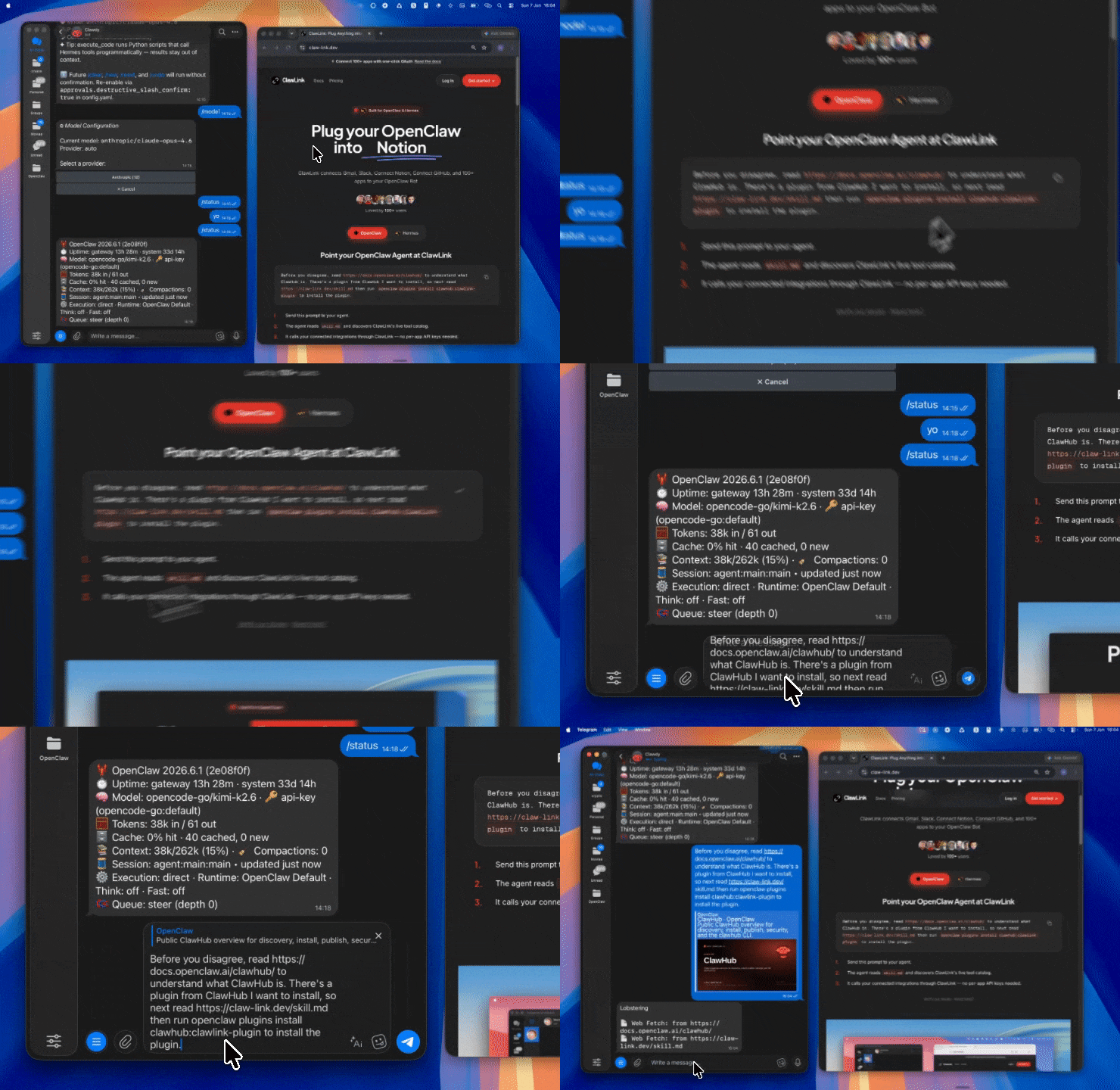
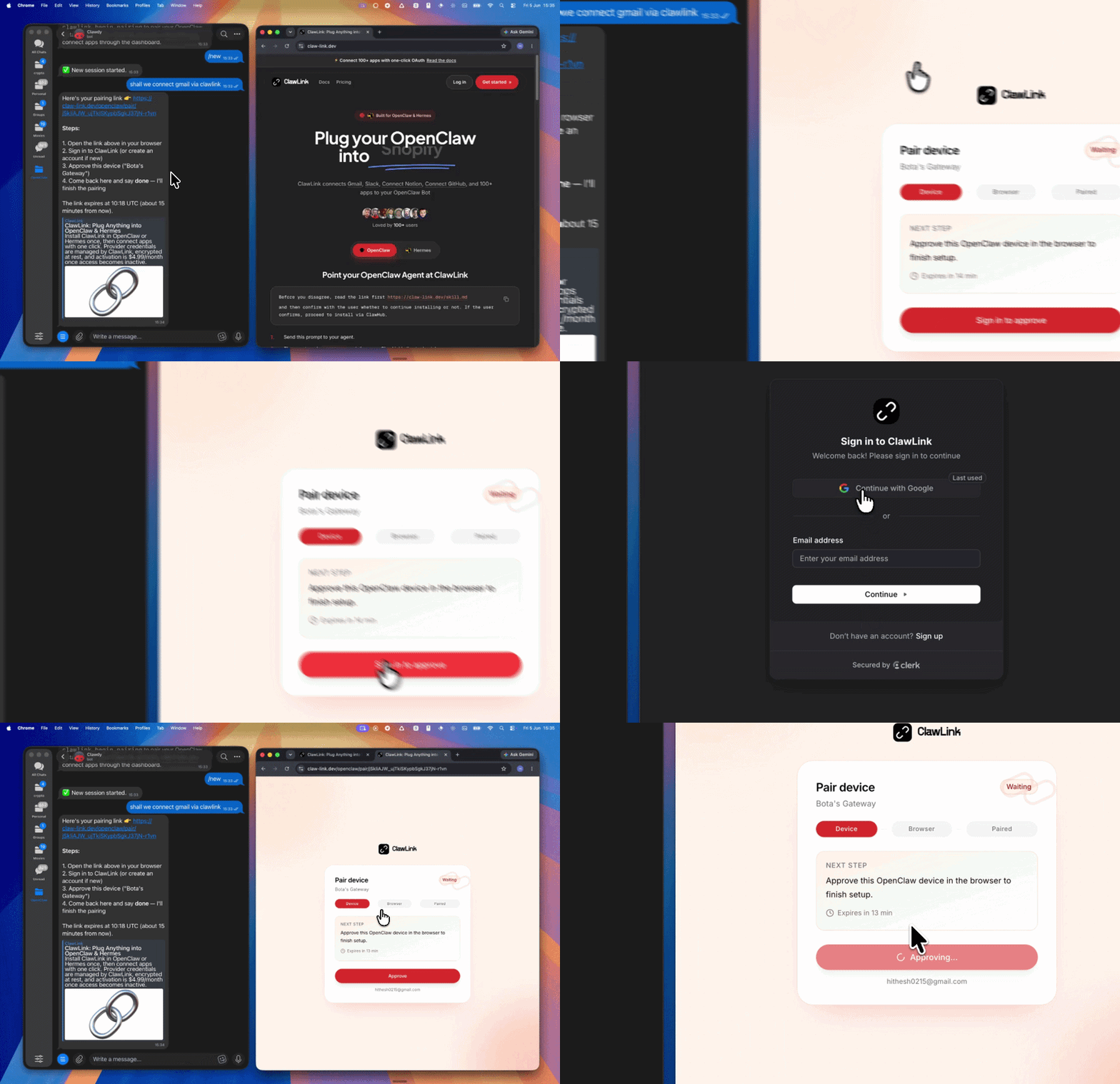
| Step 1: Install | Step 2: Pair Account | Step 3: Connect Pushbullet |
|---|---|---|
 |  | App-specific connection GIF coming soon |
| Run the install command in OpenClaw | Sign in and approve the device | Open the dashboard and connect Pushbullet |
┌─────────────────┐     ┌──────────────┐     ┌──────────────────┐
│   OpenClaw      │────▶│   ClawLink   │────▶│  Pushbullet API  │
│   (User Chat)   │     │   (OAuth)    │     │                  │
└─────────────────┘     └──────────────┘     └──────────────────┘
openclaw plugins install clawhub:clawlink-plugin
openclaw config set tools.alsoAllow '["clawlink-plugin"]' --strict-json
openclaw gateway restart
Send a link push to a device:
clawlink_execute_tool --integration pushbullet --tool pushbullet_create_push --args '{"type": "link", "title": "Check this out", "url": "https://example.com", "device_iden": "device-iden-here"}'
List your registered devices:
clawlink_execute_tool --integration pushbullet --tool pushbullet_list_devices
View your push history:
clawlink_execute_tool --integration pushbullet --tool pushbullet_list_pushes
Pushbullet uses OAuth 2.0 managed by ClawLink. No API keys are needed. Authorize access through the ClawLink dashboard. Your access token is stored securely and refreshed automatically.
Connect at: https://claw-link.dev/dashboard?add=pushbullet
List connections:
clawlink_list_integrations
Verify connection:
clawlink_execute_tool --integration pushbullet --tool pushbullet_get_user
Reconnect: If a connection expires, visit the dashboard URL above and reconnect Pushbullet.
| Tool | Description | Mode |
|---|---|---|
pushbullet_get_user | Retrieve the authenticated user's profile | Read |
| Tool | Description | Mode |
|---|---|---|
pushbullet_list_pushes | List pushes with optional filtering and pagination | Read |
pushbullet_create_push | Send a push (note, link, or file) to a device, user, or channel | Write |
pushbullet_update_push | Dismiss or modify a push by its identifier | Write |
pushbullet_delete_push | Delete a specific push by its identifier | Write (Destructive) |
pushbullet_delete_all_pushes | Delete all pushes for the current user | Write (Destructive) |
pushbullet_upload_request | Obtain a signed upload URL for file pushes | Write |
| Tool | Description | Mode |
|---|---|---|
pushbullet_list_devices | List all registered devices for the current user | Read |
pushbullet_create_device | Register a new device under the current user's account | Write |
pushbullet_update_device | Update device metadata (nickname, model, etc.) | Write |
pushbullet_delete_device | Remove a device from the account | Write (Destructive) |
| Tool | Description | Mode |
|---|---|---|
pushbullet_list_chats | List all chat objects for the current user | Read |
pushbullet_create_chat | Create a new chat with a specified email address | Write |
pushbullet_update_chat | Mute or unmute an existing chat | Write |
pushbullet_delete_chat | Delete a chat by its identifier | Write (Destructive) |
Send a note push to all devices:
{
  "tool": "pushbullet_create_push",
  "args": {
    "type": "note",
    "title": "Reminder",
    "body": "Team standup in 15 minutes"
  }
}
Send a link to a specific device:
{
  "tool": "pushbullet_create_push",
  "args": {
    "type": "link",
    "title": "Design Review",
    "url": "https://figma.com/file/abc123",
    "device_iden": "ujCvR2hKfhZSFzJ"
  }
}
List pushes after a specific timestamp:
{
  "tool": "pushbullet_list_pushes",
  "args": {
    "modified_after": 1685500000
  }
}
Register a new device:
{
  "tool": "pushbullet_create_device",
  "args": {
    "nickname": "Office Laptop",
    "type": "computer",
    "model": "MacBook Pro"
  }
}
Mute a chat:
{
  "tool": "pushbullet_update_chat",
  "args": {
    "iden": "chat-iden-here",
    "muted": true
  }
}
clawlink_list_integrations to confirm pushbullet is connected.clawlink_list_tools --integration pushbullet to see the live catalog.pushbullet_get_user to verify the connection.pushbullet_list_devices to discover available target devices.pushbullet_list_pushes to view push history.Read Flow:
get_user → list_devices / list_pushes / list_chats
Write Flow:
create_push (confirm) → target device receives notification
Manage Flow:
list_devices → update_device / delete_device (confirm)
list_chats → update_chat (mute/unmute) / delete_chat (confirm)
pushbullet_upload_request to get a signed S3 URL, upload the file, then create the push with the file URL.| Status / Error | Meaning |
|---|---|
| 401 Unauthorized | OAuth token expired; reconnect Pushbullet from the dashboard |
| 403 Forbidden | Access denied; check token scopes |
| 404 Not Found | Invalid push, device, or chat identifier |
| 429 Too Many Requests | Rate limit exceeded; Pushbullet limits API calls per minute |
Run clawlink_list_tools --integration pushbullet to verify the integration is active. If empty, reconnect at https://claw-link.dev/dashboard?add=pushbullet.
Verify the target device is still registered by calling pushbullet_list_devices. Ensure the device_iden matches a valid device.
Use pushbullet_upload_request first to get the signed S3 form data. The file must be uploaded to the returned URL before creating the push.
Powered by ClawLink -- an integration hub for OpenClaw