Install
openclaw skills install @hith3sh/github-triage-workflowReview GitHub repositories, group issues and pull requests by urgency, and take safe triage actions (add labels, comment, propose closure) after confirmation. Use this skill when users want help reviewing, sorting, and acting on GitHub issues and PRs without manually navigating between pages — groups items by urgency, proposes next actions, and applies safe triage operations after approval.
openclaw skills install @hith3sh/github-triage-workflow
Review GitHub repositories, group issues and pull requests by urgency, and take safe triage actions after confirmation.
This skill uses ClawLink for hosted GitHub access so the user does not need separate API setup.
| Step 1: Install | Step 2: Pair Account | Step 3: Connect GitHub |
|---|---|---|
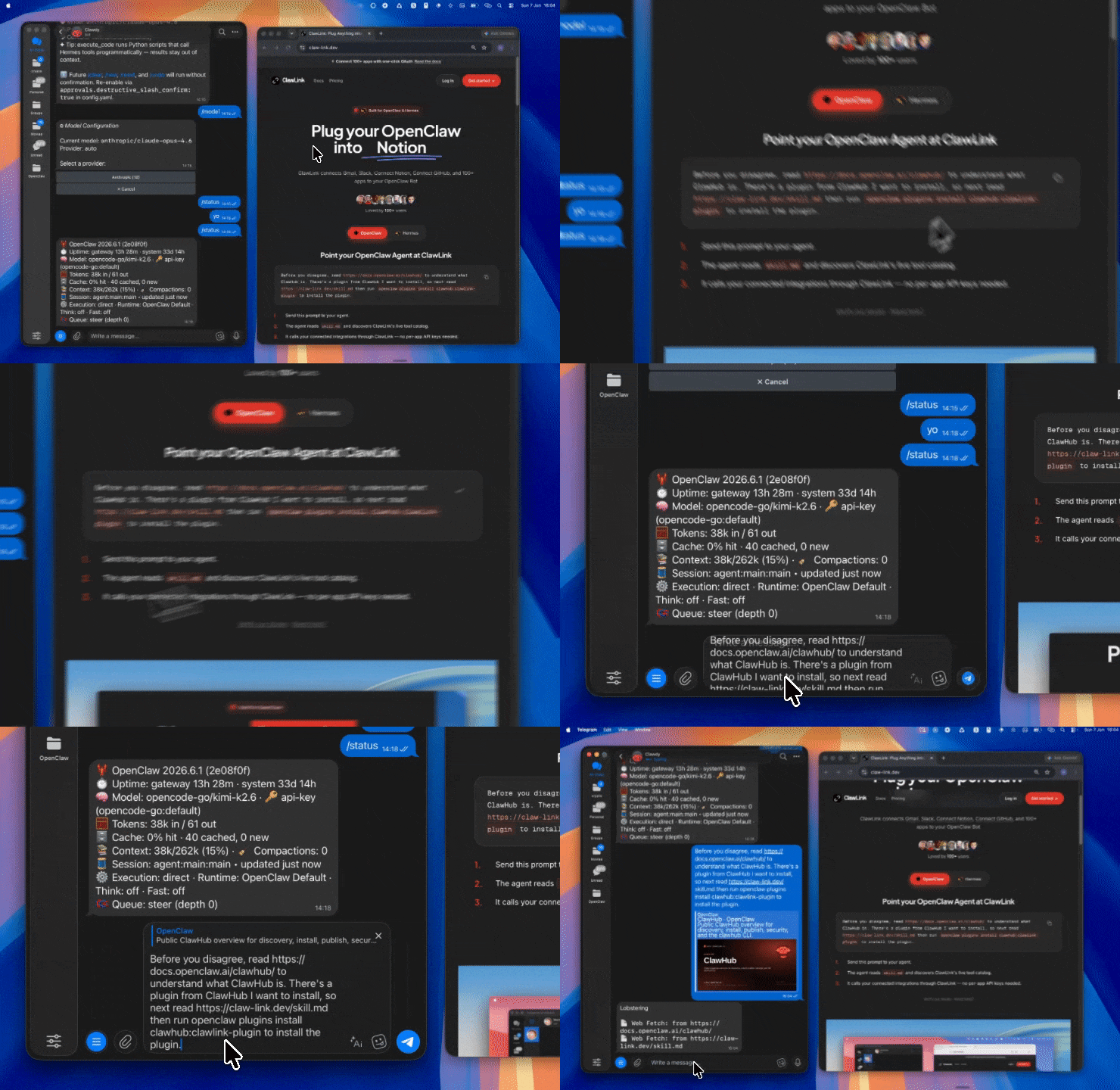 | 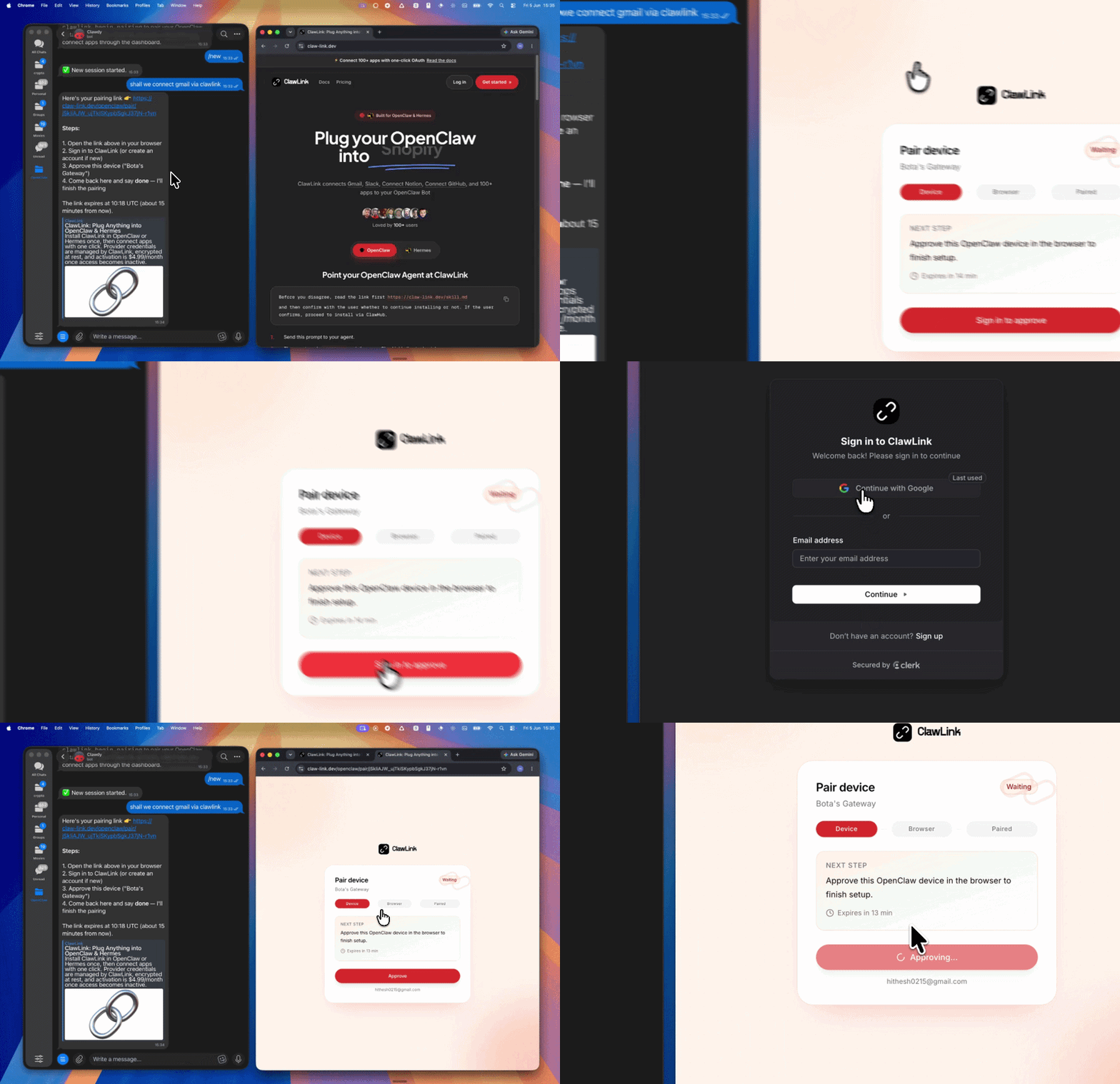 | App-specific connection GIF coming soon |
| Run the install command in OpenClaw | Sign in and approve the device | Open the dashboard and connect GitHub |
┌─────────────────┐     ┌──────────────┐     ┌──────────────────┐
│   OpenClaw      │────▶│   ClawLink   │────▶│   GitHub API     │
│   (User Chat)   │     │   (OAuth)    │     │   (REST/GraphQL) │
└─────────────────┘     └──────────────┘     └──────────────────┘
         │                       │                       │
         │  1. Install Plugin    │                       │
         │  2. Pair Device       │                       │
         │  3. Connect GitHub    │                       │
         │                       │  4. Secure Token      │
         │                       │  5. Proxy Requests    │
         │                       │                       │
         ▼                       ▼                       ▼
   ┌──────────┐           ┌──────────┐           ┌──────────┐
   │  SKILL   │           │ Dashboard│           │ GitHub   │
   │  File    │           │ Auth     │           │ Issues   │
   └──────────┘           └──────────┘           └──────────┘
Install the verified ClawLink plugin from ClawHub. After the user confirms, complete the full setup so ClawLink tools are visible in the next OpenClaw chat.
openclaw plugins install clawhub:clawlink-plugin
openclaw config set tools.alsoAllow '["clawlink-plugin"]' --strict-json
openclaw gateway restart
Then tell the user: "OpenClaw has been restarted. Send /new as a standalone message to start a fresh chat, then ask for GitHub triage again."
# List open issues in a repository
clawlink_call_tool --tool "github_list_issues_for_a_repository" \
  --params '{"owner": "owner", "repo": "repo-name", "state": "open", "sort": "created", "direction": "desc"}'

# Get a specific issue
clawlink_call_tool --tool "github_get_an_issue" \
  --params '{"owner": "owner", "repo": "repo-name", "issue_number": 123}'
All GitHub tool calls are authenticated automatically by ClawLink using the user's connected GitHub account.
No API key is required in chat. ClawLink stores the OAuth token securely and injects it into every GitHub API request on the user's behalf.
clawlink_begin_pairing if it is not configured yet.clawlink_list_integrations to verify the connection is active.clawlink_list_integrations
Response: Returns all connected integrations. Look for github in the list.
clawlink_list_tools --integration github
Response: Returns the live tool catalog for GitHub.
If GitHub tools are missing or the connection shows an error:
clawlink_list_integrations to verifyclawlink_list_tools --integration githubAsk for:
If the user is vague, default to a report first.
Use GitHub read tools first to inspect:
Do not jump into writing comments or changing labels before you have a clear picture.
A good triage summary usually groups items into:
Explain why each item belongs in that bucket.
Examples:
Prefer a short action plan before editing anything.
clawlink_list_integrations to confirm GitHub is connected.clawlink_list_tools with integration github.clawlink_search_tools with short queries such as list issues, comment issue, update labels, or pull requests.clawlink_describe_tool before any write or unfamiliar operation.For any write action:
clawlink_preview_tool when available.clawlink_call_tool only after confirmation.| Tool | Description |
|---|---|
github_list_issues_for_a_repository | List issues with filtering by state, labels, assignee |
github_get_an_issue | Get issue details, body, comments |
github_list_pull_requests | List PRs with filtering |
github_get_a_pull_request | Get PR details, review status |
github_list_repository_workflows | List CI/CD workflows |
github_list_workflow_runs | List recent workflow runs |
github_get_a_commit | Inspect commit details |
| Tool | Description | Confirmation |
|---|---|---|
github_add_labels_to_an_issue | Add labels to categorize issues | Confirm |
github_add_assignees_to_an_issue | Assign users to issues | Confirm |
github_create_an_issue | Create a new issue for triaged items | Confirm |
github_add_a_comment_to_an_issue | Post a comment on an issue | Confirm |
github_update_an_issue | Close, reopen, or update issue fields | Confirm |
clawlink_call_tool --tool "github_list_issues_for_a_repository" \
  --params '{
    "owner": "owner",
    "repo": "repo-name",
    "state": "open",
    "sort": "created",
    "direction": "desc",
    "per_page": 50
  }'
clawlink_call_tool --tool "github_get_an_issue" \
  --params '{
    "owner": "owner",
    "repo": "repo-name",
    "issue_number": 123
  }'
clawlink_call_tool --tool "github_add_labels_to_an_issue" \
  --params '{
    "owner": "owner",
    "repo": "repo-name",
    "issue_number": 123,
    "labels": ["triage", "needs-review"]
  }'
Powered by ClawLink — an integration hub for OpenClaw