Install
openclaw skills install @hith3sh/giphy-mediaSearch GIFs, stickers, emojis, trending media, and upload assets to GIPHY via the GIPHY API. Use this skill when users want to search for GIFs and stickers, browse trending content, translate phrases into matching media, fetch specific media by ID, or upload GIF or video assets after confirmation.
openclaw skills install @hith3sh/giphy-media
Access GIPHY via the GIPHY API with API key authentication. Search GIFs, stickers, emojis, trending media, and upload assets.
This skill uses ClawLink for hosted connection flows and credentials so you do not need to configure GIPHY API access yourself.
| Step 1: Install | Step 2: Pair Account | Step 3: Connect GIPHY |
|---|---|---|
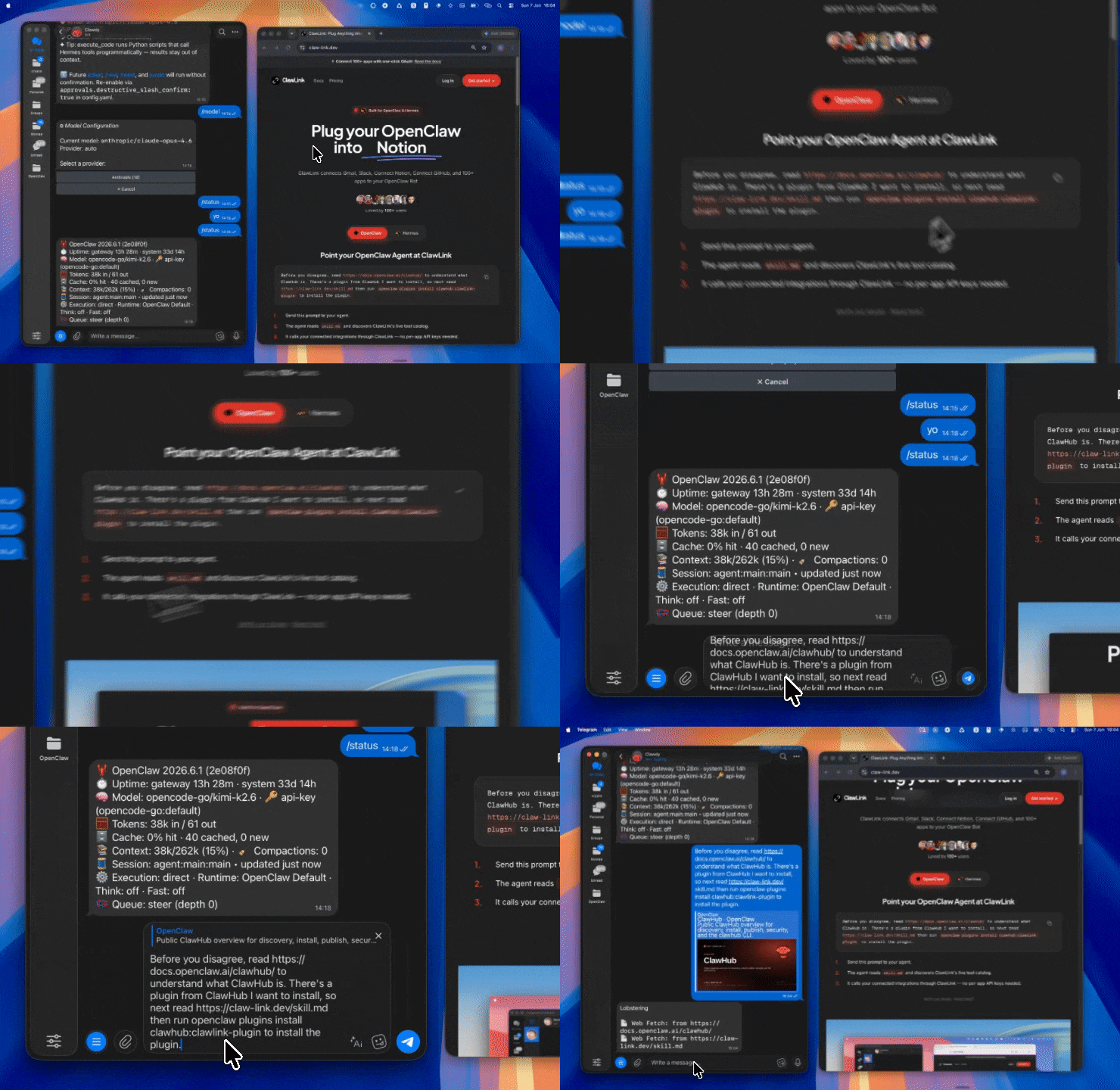 | 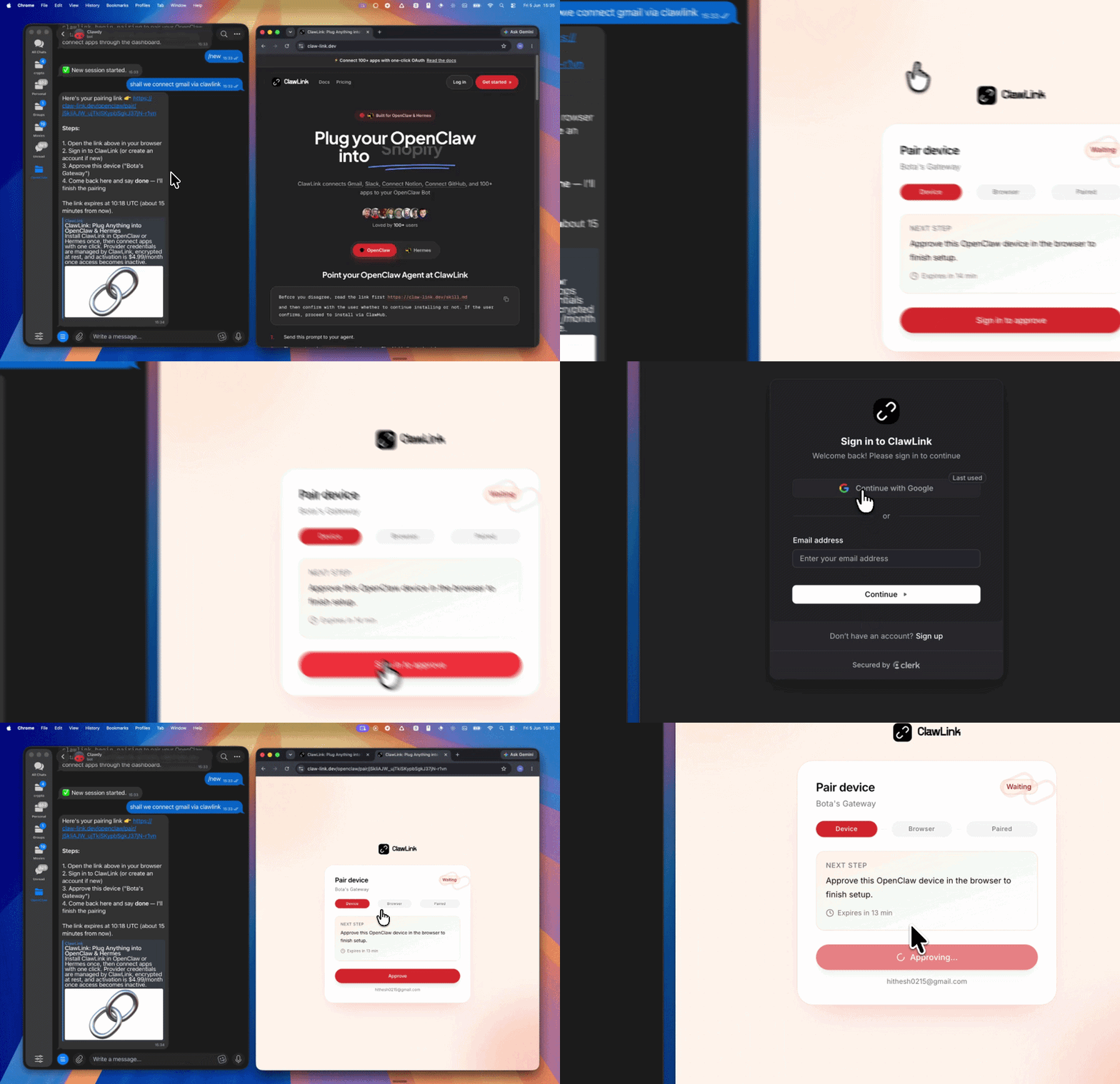 | App-specific connection GIF coming soon |
| Run the install command in OpenClaw | Sign in and approve the device | Open the dashboard and connect GIPHY |
┌─────────────────┐     ┌──────────────┐     ┌──────────────────┐
│   OpenClaw      │────▶│   ClawLink   │────▶│   GIPHY API      │
│   (User Chat)   │     │   (OAuth)    │     │   (REST)         │
└─────────────────┘     └──────────────┘     └──────────────────┘
         │                       │                       │
         │  1. Install Plugin    │                       │
         │  2. Pair Device       │                       │
         │  3. Connect GIPHY     │                       │
         │                       │  4. Secure Token      │
         │                       │  5. Proxy Requests    │
         │                       │                       │
         ▼                       ▼                       ▼
   ┌──────────┐           ┌──────────┐           ┌──────────┐
   │  SKILL   │           │ Dashboard│           │ GIPHY    │
   │  File    │           │ Auth     │           │ Search   │
   └──────────┘           └──────────┘           └──────────┘
Install the verified ClawLink plugin from ClawHub. After the user confirms, complete the full setup so ClawLink tools are visible in the next OpenClaw chat.
openclaw plugins install clawhub:clawlink-plugin
openclaw config set tools.alsoAllow '["clawlink-plugin"]' --strict-json
openclaw gateway restart
Then tell the user: "OpenClaw has been restarted. Send /new as a standalone message to start a fresh chat, then ask for GIPHY again."
# Search GIFs
clawlink_call_tool --tool "giphy_search_gifs" --params '{"query": "laughing"}'

# Get trending GIFs
clawlink_call_tool --tool "giphy_trending_gifs" --params '{}'

# Translate phrase to GIF
clawlink_call_tool --tool "giphy_translate" --params '{"phrase": "thumbs up"}'
All GIPHY tool calls are authenticated automatically by ClawLink using the user's connected GIPHY account.
No API key is required in chat. ClawLink stores credentials securely and injects them into every GIPHY API request on the user's behalf.
clawlink_begin_pairing if it is not configured yet.clawlink_list_integrations to verify the connection is active.clawlink_list_integrations
Response: Returns all connected integrations. Look for giphy in the list.
clawlink_list_tools --integration giphy
Response: Returns the live tool catalog for GIPHY.
If GIPHY tools are missing or the connection shows an error:
clawlink_list_integrations to verifyclawlink_list_tools --integration giphy| Tool | Description | Mode |
|---|---|---|
giphy_search_gifs | Search for GIFs by keyword or phrase | Read |
giphy_search_stickers | Search for stickers by keyword or phrase | Read |
giphy_search_emoji | Search for emoji media by keyword | Read |
giphy_search_channels | Search for GIPHY channels | Read |
giphy_search_tags | Search for trending tags | Read |
| Tool | Description | Mode |
|---|---|---|
giphy_trending_gifs | Get trending GIFs | Read |
giphy_trending_stickers | Get trending stickers | Read |
giphy_trending_searches | Get trending search terms | Read |
| Tool | Description | Mode |
|---|---|---|
giphy_translate | Translate a phrase into a matching GIF or sticker | Read |
| Tool | Description | Mode |
|---|---|---|
giphy_get_gif_by_id | Fetch a specific GIF by its GIPHY ID | Read |
giphy_get_sticker_by_id | Fetch a specific sticker by its GIPHY ID | Read |
| Tool | Description | Mode |
|---|---|---|
giphy_upload_gif | Upload a GIF or video asset to GIPHY | Write |
clawlink_call_tool --tool "giphy_search_gifs" \
  --params '{
    "query": "thumbs up",
    "limit": 10,
    "rating": "pg-13"
  }'
clawlink_call_tool --tool "giphy_trending_stickers" \
  --params '{
    "limit": 20
  }'
clawlink_call_tool --tool "giphy_translate" \
  --params '{
    "phrase": "facepalm",
    "rating": "pg-13"
  }'
clawlink_call_tool --tool "giphy_get_gif_by_id" \
  --params '{
    "gif_id": "abc123xyz"
  }'
clawlink_list_integrations to confirm GIPHY is connected.clawlink_list_tools --integration giphy to see the live catalog.clawlink_search_tools with a short query and integration giphy.┌─────────────────────────────────────────────────────────────┐
│ READ OPERATIONS (Safe) │
│ search → trending → translate → get by ID │
│ │
│ Example: Search GIFs → Display results → User picks │
└─────────────────────────────────────────────────────────────┘
│
▼
┌─────────────────────────────────────────────────────────────┐
│ WRITE OPERATIONS (Require Confirmation) │
│ describe → preview → confirm → upload │
│ │
│ Example: Preview upload → User confirms → Execute upload │
└─────────────────────────────────────────────────────────────┘
clawlink_describe_tool first.whenToUse, askBefore, safeDefaults, examples, and followups to shape the call.clawlink_preview_tool first.clawlink_call_tool. Pass confirmation only after the preview matches the user's intent.g, pg, pg-13, r) filter content appropriateness. Match the rating to your use case.| Status / Error | Meaning |
|---|---|
| Tool not found | The tool name does not exist in the current catalog. Verify with clawlink_list_tools --integration giphy. |
| Missing connection | GIPHY is not connected. Direct the user to https://claw-link.dev/dashboard?add=giphy. |
404 Not Found | GIF or sticker ID does not exist. Verify the ID. |
| Write rejected | User did not confirm an upload action. Always confirm before uploading. |
openclaw plugins list
/new as a standalone message to reload the catalog.openclaw config set tools.alsoAllow '["clawlink-plugin"]' --strict-json
openclaw gateway restart
/new again and retry.giphy.clawlink_describe_tool to verify parameter names and types before calling.clawlink_preview_tool first.Powered by ClawLink — an integration hub for OpenClaw