Install
openclaw skills install @hith3sh/content-repurpose-to-linkedinTurn source content into polished LinkedIn posts and publish them with confirmation. Uses ClawLink to discover LinkedIn tools and publish posts after user approval.
openclaw skills install @hith3sh/content-repurpose-to-linkedin
Turn source content into polished LinkedIn posts and publish them through ClawLink. Use this skill when users want to transform articles, notes, or other content into professional LinkedIn posts.
This skill uses ClawLink for hosted connection flows and credentials so you do not need to configure LinkedIn API access yourself.
| Step 1: Install | Step 2: Pair Account | Step 3: Connect LinkedIn |
|---|---|---|
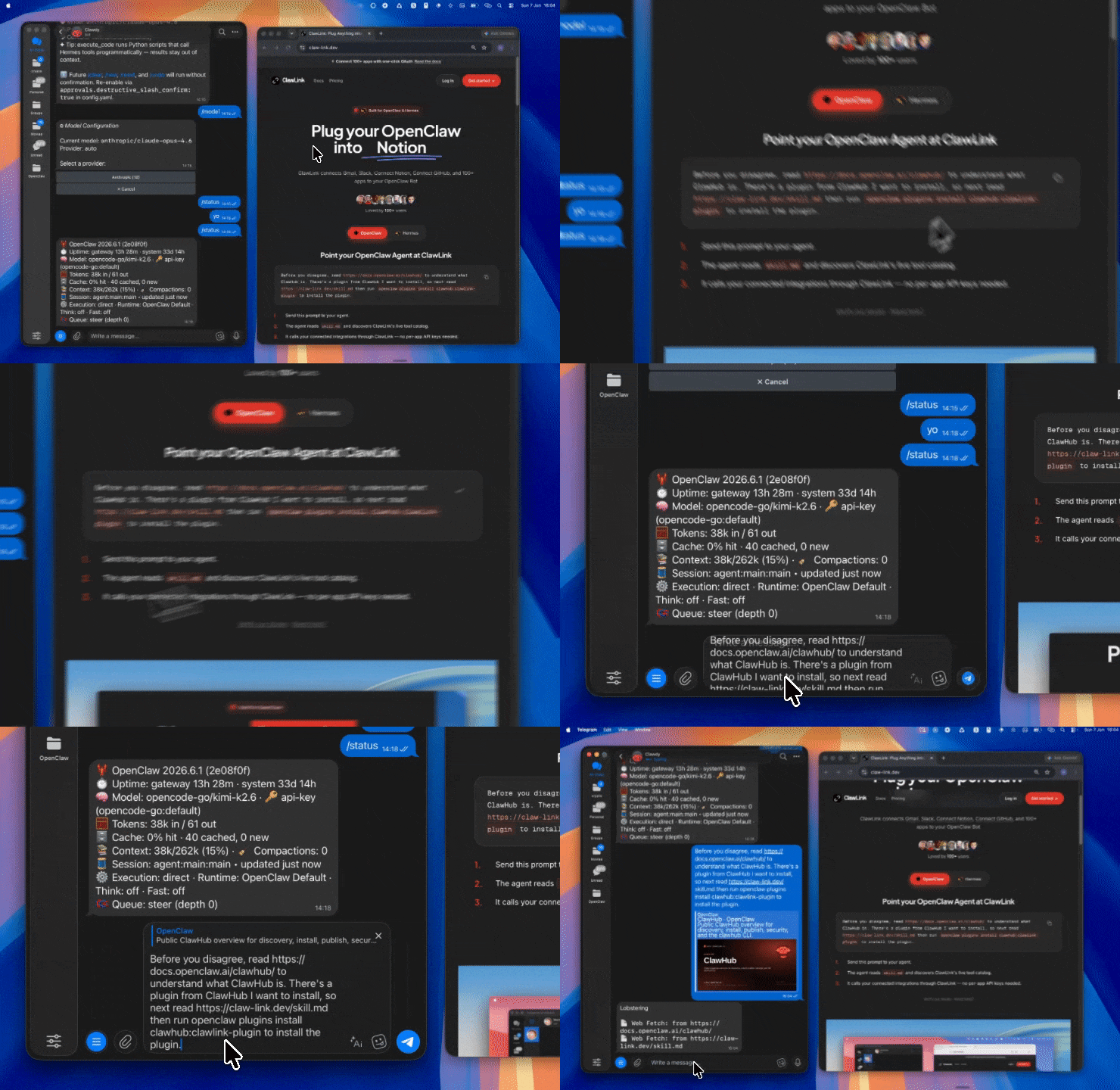 | 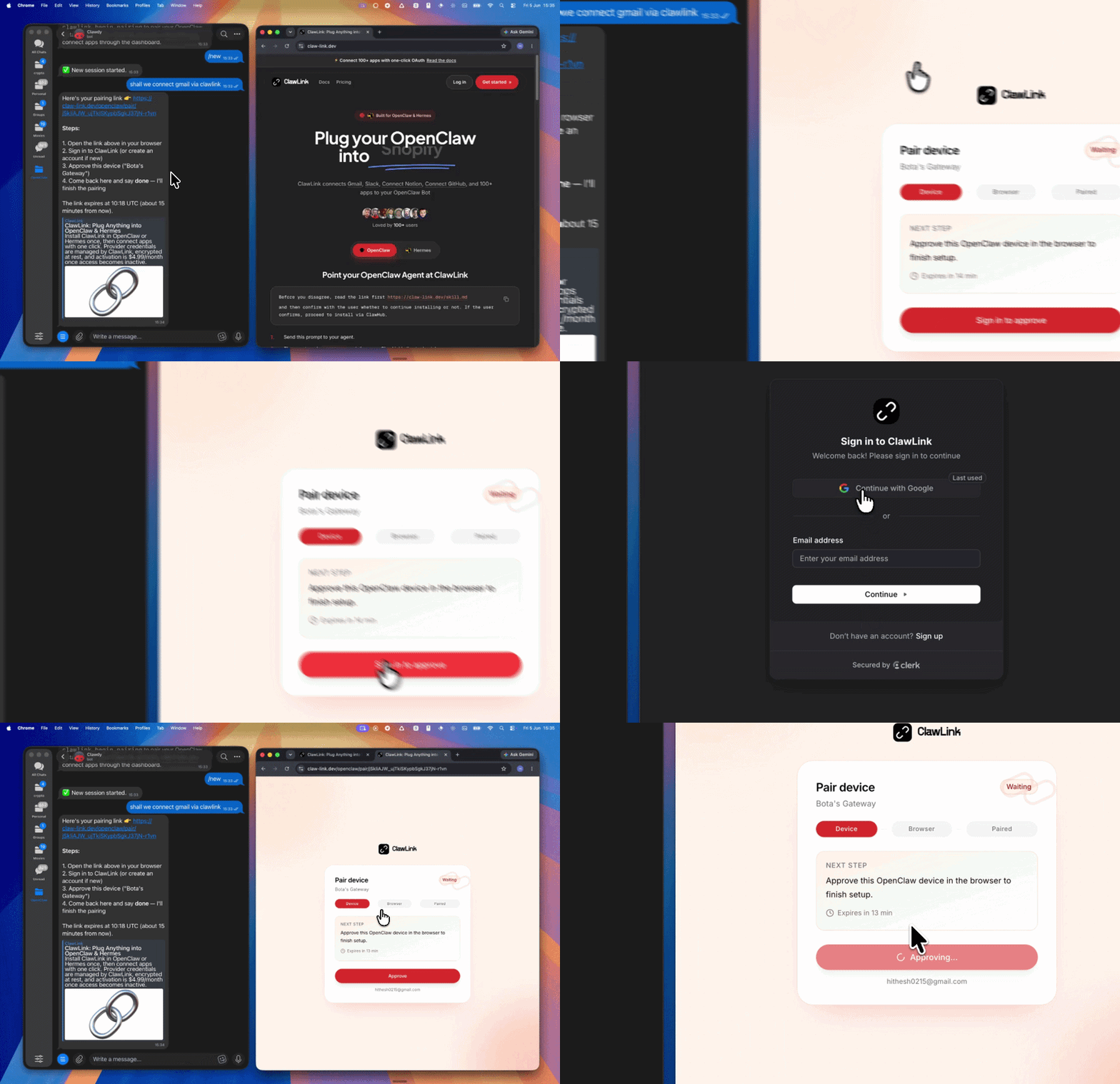 | App-specific connection GIF coming soon |
| Run the install command in OpenClaw | Sign in and approve the device | Open the dashboard and connect LinkedIn |
┌─────────────────┐     ┌──────────────┐     ┌──────────────────┐
│   OpenClaw      │────▶│   ClawLink   │────▶│ LinkedIn API      │
│   (User Chat)   │     │   (OAuth)    │     │ (Posts/Content)  │
└─────────────────┘     └──────────────┘     └──────────────────┘
         │                       │                       │
         │  1. Install Plugin    │                       │
         │  2. Pair Device       │                       │
         │  3. Connect LinkedIn  │                       │
         │                       │  4. Secure Token      │
         │                       │  5. Proxy Requests    │
         │                       │                       │
         ▼                       ▼                       ▼
   ┌──────────┐           ┌──────────┐           ┌──────────┐
   │  SKILL   │           │ Dashboard│           │ LinkedIn │
   │  File    │           │ Auth     │           │ Profile │
   └──────────┘           └──────────┘           └──────────┘
Install the verified ClawLink plugin from ClawHub. After the user confirms, complete the full setup so ClawLink tools are visible in the next OpenClaw chat.
openclaw plugins install clawhub:clawlink-plugin
openclaw config set tools.alsoAllow '["clawlink-plugin"]' --strict-json
openclaw gateway restart
Then tell the user: "OpenClaw has been restarted. Send /new as a standalone message to start a fresh chat, then ask for LinkedIn posting again."
Ask for:
If the source is long, first summarize the key ideas before drafting.
Do not just compress content. Choose the best LinkedIn angle:
If there are several possible angles, give the user 2-3 options first.
Good LinkedIn posts are usually:
Prefer:
Avoid:
When the user has not specified a format, generate 2-3 options such as:
Let the user choose or edit one before posting.
clawlink_list_integrations to confirm LinkedIn is connected.clawlink_list_tools with integration linkedin.clawlink_search_tools with a short query such as create post, publish text post, or organization post.clawlink_describe_tool before any publish, comment, or delete action.Before any publish action:
clawlink_preview_tool first when available.clawlink_call_tool only after explicit confirmation.clawlink_begin_pairing if it is not configured yet.clawlink_list_integrations to verify the connection is active.linkedin.create_post, organization_post, share_post, or similar — discover the exact name from the live catalog.| Status / Error | Meaning |
|---|---|
| Tool not found | The tool name does not exist in the current catalog. Verify with clawlink_list_tools --integration linkedin. |
| Missing connection | LinkedIn is not connected. Direct the user to https://claw-link.dev/dashboard?add=linkedin. |
Write rejected | User did not confirm publishing. |
InvalidArgument | Invalid parameter. Review the tool schema with clawlink_describe_tool. |
openclaw plugins list
/new as a standalone message to reload the catalog.openclaw config set tools.alsoAllow '["clawlink-plugin"]' --strict-json
openclaw gateway restart
/new again and retry.Powered by ClawLink — an integration hub for OpenClaw