Install
openclaw skills install @hith3sh/clickhouse-analyticsInspect ClickHouse databases, review schemas, and run SQL analytics queries via the ClickHouse HTTP API. Use this skill when users want to query analytics data, explore database schemas, or run read-only SQL queries for business intelligence.
openclaw skills install @hith3sh/clickhouse-analytics
Work with ClickHouse from chat — inspect databases, review schemas, and run read-only SQL analytics queries via the ClickHouse HTTP API with API key authentication.
This skill uses ClawLink for hosted connection flows and credentials so you do not need to configure ClickHouse API access yourself.
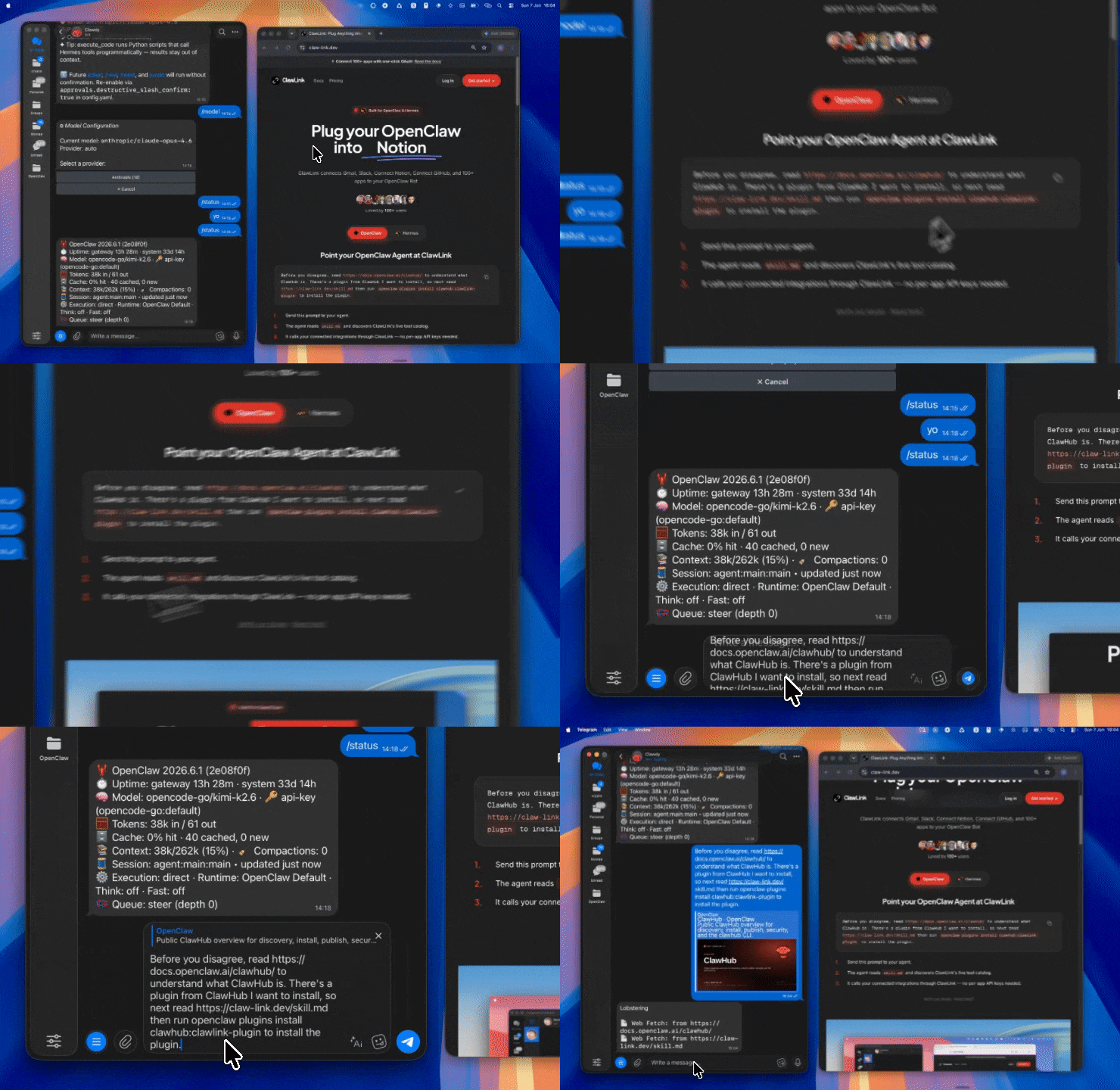
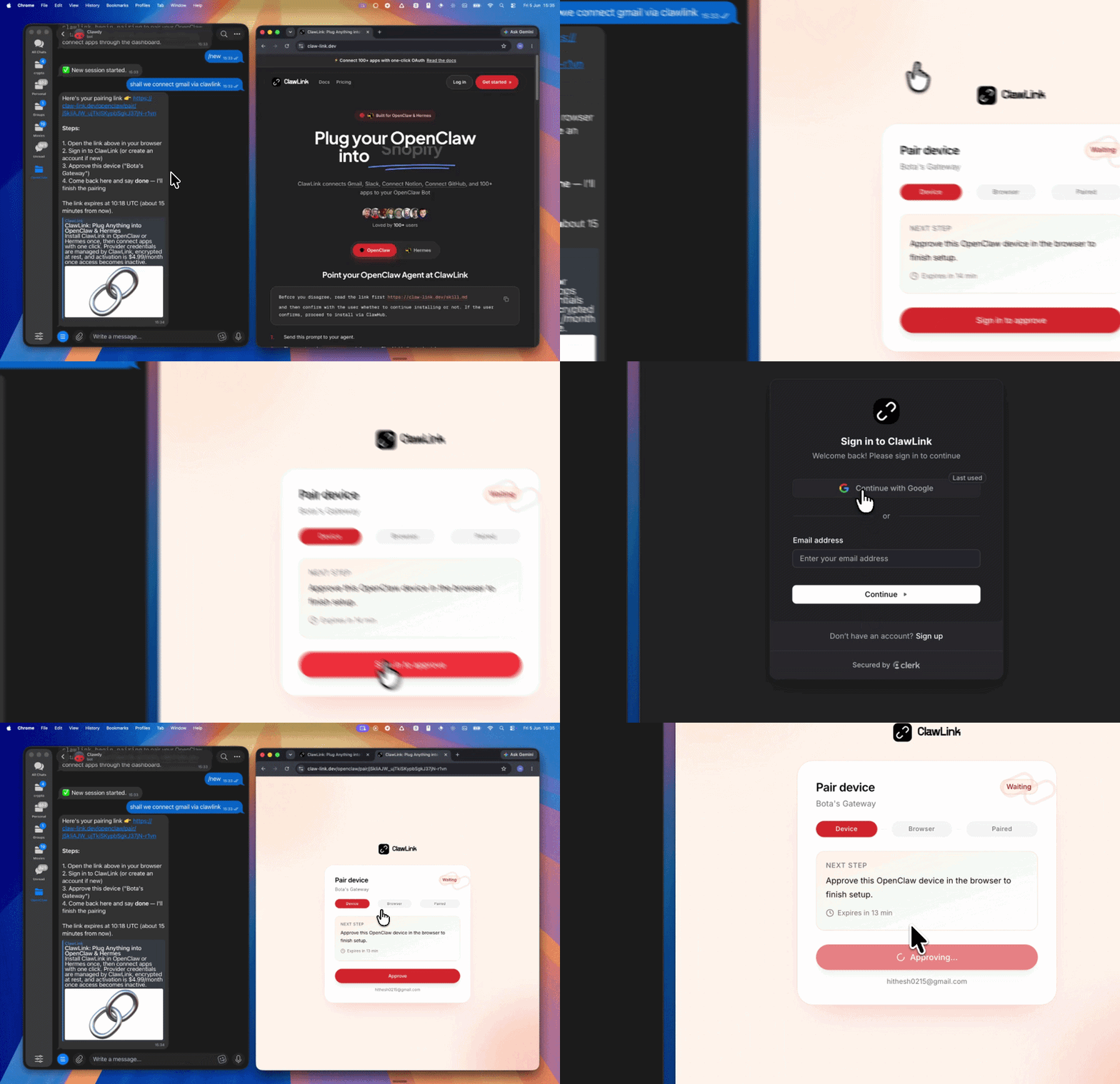
| Step 1: Install | Step 2: Pair Account | Step 3: Connect ClickHouse |
|---|---|---|
 |  | App-specific connection GIF coming soon |
| Run the install command in OpenClaw | Sign in and approve the device | Open the dashboard and connect ClickHouse |
┌─────────────────┐     ┌──────────────┐     ┌──────────────────┐
│   OpenClaw      │────▶│   ClawLink   │────▶│ ClickHouse HTTP API│
│   (User Chat)   │     │   (API Key)  │     │ (SQL Queries)    │
└─────────────────┘     └──────────────┘     └──────────────────┘
         │                       │                       │
         │  1. Install Plugin    │                       │
         │  2. Pair Device       │                       │
         │  3. Connect ClickHouse│                       │
         │                       │  4. Secure Key │
         │                       │  5. Proxy Requests    │
         │                       │                       │
         ▼                       ▼                       ▼
   ┌──────────┐           ┌──────────┐           ┌──────────┐
   │  SKILL   │           │ Dashboard│           │ ClickHouse│
   │  File    │           │ Auth     │           │ Queries  │
   └──────────┘           └──────────┘           └──────────┘
Install the verified ClawLink plugin from ClawHub. After the user confirms, complete the full setup so ClawLink tools are visible in the next OpenClaw chat.
openclaw plugins install clawhub:clawlink-plugin
openclaw config set tools.alsoAllow '["clawlink-plugin"]' --strict-json
openclaw gateway restart
Then tell the user: "OpenClaw has been restarted. Send /new as a standalone message to start a fresh chat, then ask for ClickHouse again."
# List databases
clawlink_call_tool --tool "clickhouse_list_databases" --params '{}'

# List tables in a database
clawlink_call_tool --tool "clickhouse_list_tables" --params '{"database": "default"}'

# Get database schema overview
clawlink_call_tool --tool "clickhouse_get_database_schema" --params '{"database": "default"}'
All ClickHouse tool calls are authenticated automatically by ClawLink using the user's connected ClickHouse account.
No credentials are required in chat. ClawLink stores the connection details securely and injects them into every ClickHouse request on the user's behalf.
clawlink_begin_pairing if it is not configured yet.clawlink_list_integrations to verify the connection is active.clawlink_list_integrations
Response: Returns all connected integrations. Look for clickhouse in the list.
clawlink_list_tools --integration clickhouse
Response: Returns the live tool catalog for ClickHouse.
If ClickHouse tools are missing or the connection shows an error:
clawlink_list_integrations to verifyclawlink_list_tools --integration clickhouse| Tool | Description | Mode |
|---|---|---|
clickhouse_list_databases | List all databases in the ClickHouse instance | Read |
clickhouse_list_tables | List tables in a database with engine, size, and row count | Read |
clickhouse_get_database_schema | Get full schema overview including all tables and columns | Read |
clickhouse_get_table_schema | Get detailed schema for a specific table including columns and types | Read |
| Tool | Description | Mode |
|---|---|---|
clickhouse_execute_query | Execute a read-only SQL query and return results | Read |
| Tool | Description | Mode |
|---|---|---|
clickhouse_get_play_interface | Get the ClickHouse Play web interface URL for interactive queries | Read |
clawlink_call_tool --tool "clickhouse_list_databases" \
  --params '{}'
clawlink_call_tool --tool "clickhouse_get_database_schema" \
  --params '{
    "database": "analytics"
  }'
clawlink_call_tool --tool "clickhouse_execute_query" \
  --params '{
    "query": "SELECT * FROM events WHERE date >= today() - 7 LIMIT 100"
  }'
clawlink_call_tool --tool "clickhouse_get_table_schema" \
  --params '{
    "database": "analytics",
    "table": "events"
  }'
clawlink_list_integrations to confirm ClickHouse is connected.clawlink_list_tools --integration clickhouse to see the live catalog.clawlink_search_tools with a short query and integration clickhouse.┌─────────────────────────────────────────────────────────────┐
│ SCHEMA DISCOVERY (Always first) │
│ list_databases → list_tables → get_table_schema │
│ │
│ Example: Discover tables → Understand schema → Then query │
└─────────────────────────────────────────────────────────────┘
│
▼
┌─────────────────────────────────────────────────────────────┐
│ QUERY EXECUTION (Read-only) │
│ describe → preview → confirm → execute │
│ │
│ Example: Describe query → Preview results → User approves │
│ → Execute read-only query │
└─────────────────────────────────────────────────────────────┘
clickhouse_list_databases and clickhouse_get_database_schema before running queries.clickhouse_get_table_schema to understand column names and types.LIMIT to prevent accidentally large result sets.| Status / Error | Meaning |
|---|---|
| Tool not found | The tool name does not exist in the current catalog. Verify with clawlink_list_tools --integration clickhouse. |
| Missing connection | ClickHouse is not connected. Direct the user to https://claw-link.dev/dashboard?add=clickhouse. |
SyntaxError | SQL syntax error in query. Check ClickHouse SQL syntax. |
TableNotFound | Table or database does not exist. Verify names with schema tools first. |
Query error | Query failed. Check query logic and table structure. |
openclaw plugins list
/new as a standalone message to reload the catalog.openclaw config set tools.alsoAllow '["clawlink-plugin"]' --strict-json
openclaw gateway restart
/new again and retry.clickhouse_list_databases.LIMIT to test queries with small result sets first.Powered by ClawLink — an integration hub for OpenClaw