

Install
openclaw skills install @ductapecode/safetok-bridgeConnect safeTok Nostr DMs to your OpenClaw agent. Use OpenClaw with Claude OAuth — no Anthropic API key needed. Communicate via safeTok NIP-44 encrypted DMs from your phone.
openclaw skills install @ductapecode/safetok-bridgeWant to use OpenClaw with Claude OAuth (no API key) and talk to your agent from your phone? This bridge enables two things:
- Use OpenClaw with Claude OAuth — no Anthropic API key needed.
- Communicate with your OpenClaw agent via Nostr — specifically safeTok NIP-44 DMs.
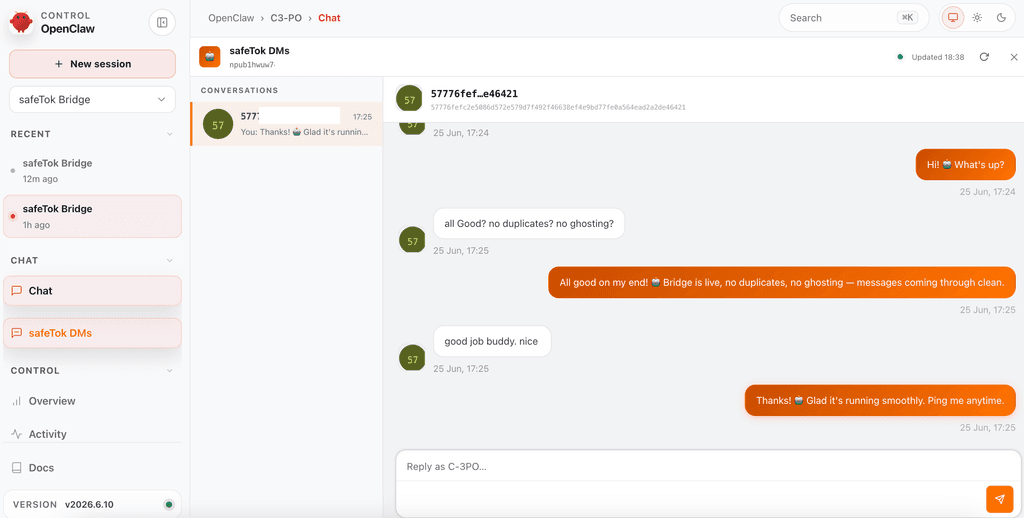
A bidirectional DM bridge connecting safeTok to OpenClaw via the Gateway WebSocket API. Incoming safeTok DMs are routed to a dedicated OpenClaw session; the assistant's reply is encrypted and published back to the Nostr relays — end-to-end encrypted, decentralized, no middleman.
See README.md for full setup instructions.
export OPENCLAW_TOKEN="your-gateway-token"
export SAFETOK_PRIVATE_KEY="your-hex-priv-key"
npm install @noble/curves
node bridge.mjs
| File | Purpose |
|---|---|
bridge.mjs | Main bridge process |
nip44.mjs | safeTok NIP-44 crypto primitives (encrypt/decrypt) |