
Skill flagged — suspicious patterns detected

ClawHub Security flagged this skill as suspicious. Review the scan results before using.

IAMMETER

Query and export device/site data via the iammeter API (based on https://www.iammeter.com/swaggerui/swagger.json). Triggers: list sites/devices, get real-tim...

MIT-0 · Free to use, modify, and redistribute. No attribution required.
1 · 300 · 1 current installs · 1 all-time installs
MIT-0
Security Scan
VirusTotalVirusTotal
Suspicious
View report →
OpenClawOpenClaw
Benign
high confidence
Purpose & Capability
Name/description request an iammeter API token and the code implements the expected endpoints (sitelist/meters/meter/history/poweranalysis/offlineanalysis). Required env var IAMMETER_TOKEN and reading ~/.openclaw/openclaw.json for a stored apiKey align with the stated purpose. The lack of a homepage/source is a metadata shortcoming but not an implementation mismatch.
Instruction Scope
SKILL.md and the Node scripts limit actions to calling the iammeter API and optional local CSV export. The code only reads the IAMMETER_TOKEN (env or ~/.openclaw/openclaw.json), performs HTTP GETs to https://www.iammeter.com, and writes an output CSV when requested — all consistent with the documented feature set.
Install Mechanism
No install spec in the registry (instruction-only), but the package includes Node code and package.json (axios, yargs). This is expected for a Node CLI; npm install is required for local use. Because there is no automated installer, nothing arbitrary will be fetched at install time by the platform itself, but running 'npm install' will pull public packages (axios, yargs) from npm.
Credentials
Only IAMMETER_TOKEN is required (declared as primary credential). The client also reads ~/.openclaw/openclaw.json to find a stored apiKey, which the SKILL.md documents. No unrelated secrets or config paths are requested.
Persistence & Privilege
always:false (no forced inclusion). The skill does not modify other skills or system-wide configs and requires explicit invocation to run. Autonomous invocation is allowed by default but not combined with broad or unrelated privileges here.
Assessment
This skill appears to do what it advertises: it needs your IAMMETER_TOKEN and will call the official iammeter API endpoints and optionally write CSV files you request. Before installing/using it: (1) Review and trust the unknown publisher — there's no homepage listed. (2) Never supply your token to untrusted parties; keep tokens out of public repos. The skill will read IAMMETER_TOKEN from the environment or from ~/.openclaw/openclaw.json (so check that file if you don't want the token stored there). (3) To use locally you must run npm install which will fetch axios and yargs from npm—run that in a controlled environment if you are cautious. (4) When exporting CSVs, choose safe output file paths (the CLI will overwrite files). If you want higher assurance, run the included scripts in a sandbox or review the two JS files line-by-line (they are short) before use.

Like a lobster shell, security has layers — review code before you run it.

Current versionv0.2.0
Download zip
latestvk9742fqzf0jaw1s8hr0s2rpw7n81zta3

License

MIT-0
Free to use, modify, and redistribute. No attribution required.

Runtime requirements

EnvIAMMETER_TOKEN
Primary envIAMMETER_TOKEN

SKILL.md

iammeter Skill (Node.js)

A Node.js client and CLI for the iammeter API, based on the official swagger spec.

Features

  • Token is loaded automatically: first from the IAMMETER_TOKEN environment variable, then from ~/.openclaw/openclaw.json (skills.entries.iammeter.apiKey)
  • List user sites (sitelist)
  • Get latest data for all meters (metersdata)
  • Get latest upload data for a single meter (meterdata / meterdata2)
  • Query site energy history (energyhistory) and export CSV
  • Power analysis (poweranalysis), offline analysis (offlineanalysis)

Configuration

  • Option A (OpenClaw / Clawhub): set the token in the Skills UI. It is stored in ~/.openclaw/openclaw.json under skills.entries.iammeter.apiKey and injected as the IAMMETER_TOKEN environment variable at runtime.
  • Option B (local testing): export IAMMETER_TOKEN=<your_token> before running.

Files

  • references/api.md — endpoint reference summarized from swagger
  • scripts/iammeter_client.js — Node.js client wrapping common endpoints
  • scripts/cli.js — CLI: sitelist|meters|meter|history|poweranalysis|offlineanalysis
  • package.json — dependencies (axios, yargs)

Usage (local testing)

  1. Install dependencies: cd ~/.openclaw/workspace/skills/iammeter npm install

  2. Run: node scripts/cli.js sitelist node scripts/cli.js meters node scripts/cli.js meter <device_sn> node scripts/cli.js history <placeId> 2026-02-01 2026-02-25 --out out.csv

Notes

  • Some endpoints have strict rate limits (see references/api.md for details).
  • Do not commit real tokens to public repositories.

Credits

About IAMMETER

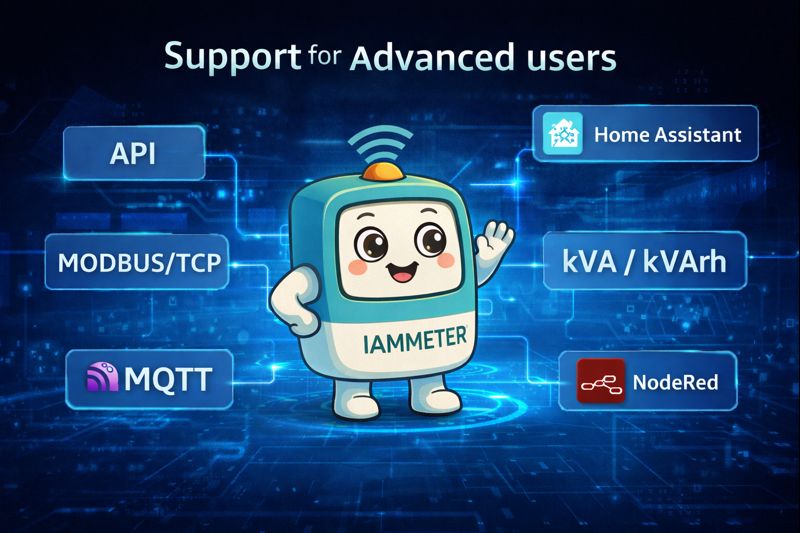
IAMMETER is an energy monitoring solution provider offering Wi-Fi-based single-phase and three-phase smart meters with multiple open interfaces, including Modbus/TCP, MQTT, HTTP/HTTPS API, TCP, and Local Push protocols. These open communication options make IAMMETER devices easy to integrate with OpenHAB and other open-source platforms.

Learn more about supported protocols and APIs: Device communication protocols: https://www.iammeter.com/newsshow/blog-fw-features

IAMMETER Cloud API: https://www.iammeter.com/docs/system-api advanced-user-ecosystem
Files

5 total
Select a file
Select a file to preview.

Comments

Loading comments…